UX heuristic analysis · Banks and insurers
Scotiabank.com: a UX heuristic analysis
For Scotiabank’s digital product team
- Assessed
- Published
- Examined
- 47 pages of Scotiabank at desktop (1440 px), tablet (820 px) and phone (390 px)
- Method
- I read 47 public pages signed out at three sizes (1440 × 900, 820 × 1180, 390 × 844) in headless Chromium on 30 October 2026, measured them with axe-core and the engine’s own checks, and checked every finding by hand. Requests to advertising and analytics hosts were refused, so load time and layout shift aren’t counted. The sign-in page wasn’t read, so nothing here covers signing in. secure.scotiabank.com answered HTTP 403 on 30 October and again on a paced retry from a fresh profile on 31 October, and the address the newer page template links to for signing in didn’t load within 30 seconds. I read Activate Scotia OnLine instead, the page for getting online access rather than a sign-in form. I reviewed the pages from Toronto, Canada.
Last checked . The site may have changed since. This page shows what I saw on that day.
Summary
Scotiabank.com names its search box 'trending search results below', and its loan calculator has no labels
Scotiabank.com's header search box is named 'trending search results below' or, on 25 of 47 pages, 'Trending Search is available and can be access through arrow keys'. The Personal Loan Calculator's 3 inputs have no label, the locator's Search button has no name at 390 px, and the French card page names 'Afficher tout' as 'Masquer tout 5 accordions'. axe found 18 rules failing across 47 pages at 3 sizes, which I read from Toronto, Canada. I couldn't read the sign-in page, because secure.scotiabank.com refused the browser with HTTP 403.
Where to start
- Finding 1: The header search box is named 'trending search results below' Medium
- Finding 13: The Personal Loan Calculator's 3 inputs have no label Medium
- Finding 18: The locator's Search button has no name at 390 px Medium
- Finding 15: The Offers filter is a select with role 'tablist' and no name Medium
- Finding 19: The French card page names 'Afficher tout' as 'Masquer tout' Medium
| High | Medium | Low | Best practice |
|---|---|---|---|
| 0 | 13 | 7 | 0 |
The 20 findings
The findings about the whole site come first, then each page in the order I examined it, most severe first within each. The levels (high, medium, low, best practice) are explained on the method page.
Finding 1Medium
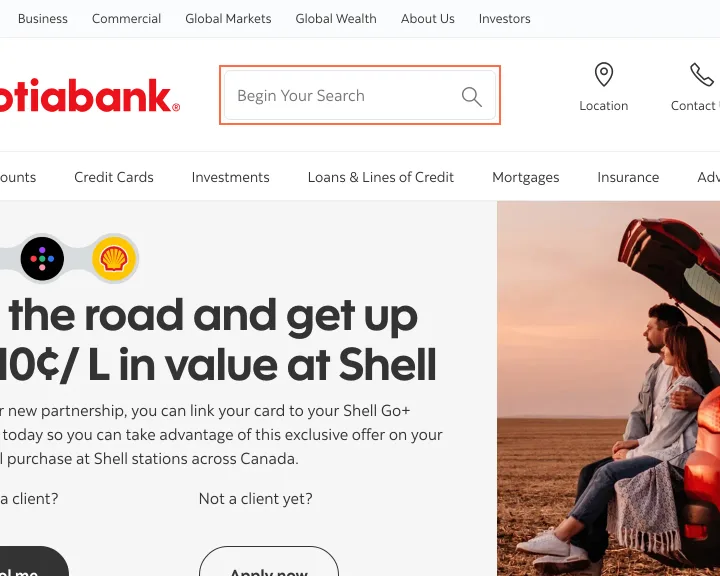
The header search box is named 'trending search results below'
Observation
The header search box shows 'Begin Your Search' but is named 'trending search results below' on 10 pages and 'Trending Search is available and can be access through arrow keys' on 25. axe reports label-content-name-mismatch on 46 of 47 pages. The notice's 'Policy' is named 'More information about your privacy, opens in a new tab', and 'English' is 'Select language' on 9 pages.
Implication
A screen reader announces a message about trending results where a visitor expects 'Search', with a typo on 25 pages. A voice-control user who says 'Policy' or 'English' doesn't reach the control.
Recommendation
Name the box 'Search' through its label and move the trending message to a live region that speaks only when results appear. Start each aria-label with the visible word, or remove the aria-label.
Measured
- Search box named 'trending search results below'
- axe label-content-name-mismatch: 1 element (serious)
Finding 2Low
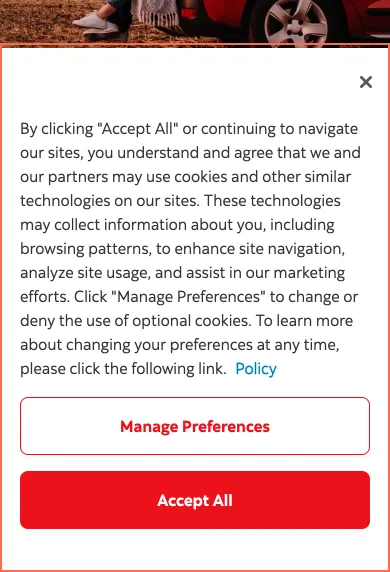
The privacy notice covers 524 px of an 844 px phone screen
Observation
At 390 × 844 the privacy notice takes 390 × 524 px from y 320 on first load. On Bank Accounts it covers the carousel's Previous and Next buttons.
Implication
A first-time visitor on a phone sees less than half the screen until the notice is answered.
Recommendation
Shorten the notice at phone width, so it stays under about a third of the screen, and link to the full text.
Measured
- Privacy notice: 390 × 524 px of the 844 px screen
- Overlap: 48 × 48 px (2304 px²)
Finding 3Low
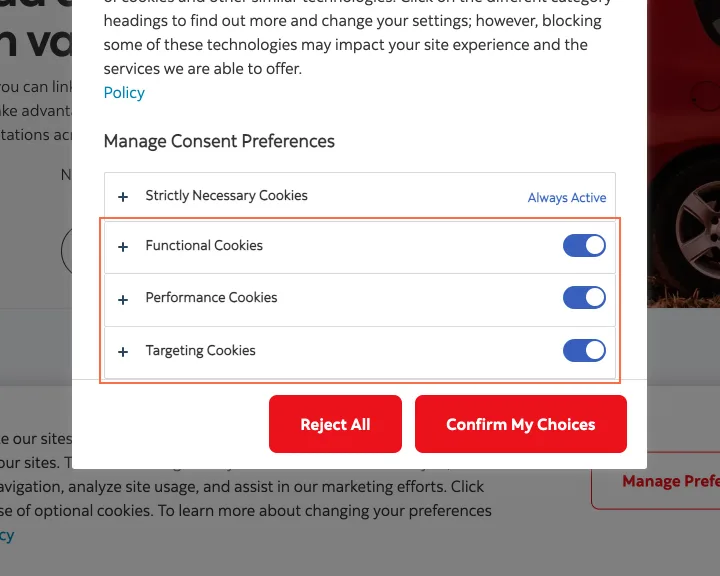
The preference panel opens with Targeting Cookies on
Observation
'Manage Preferences' opens a panel where Functional, Performance and Targeting Cookies are all switched on before any choice. The notice says that pressing 'Accept All' or continuing to navigate agrees to cookies. The panel has a 'Reject All' button.
Implication
A visitor who opens the panel to choose finds the optional cookies already selected.
Recommendation
Open the panel with the 3 optional switches off, so 'Confirm My Choices' records what the visitor picked.
Measured
- Functional, Performance and Targeting on before any choice
Finding 4Low
The privacy notice holds the Tab key until it's closed
Observation
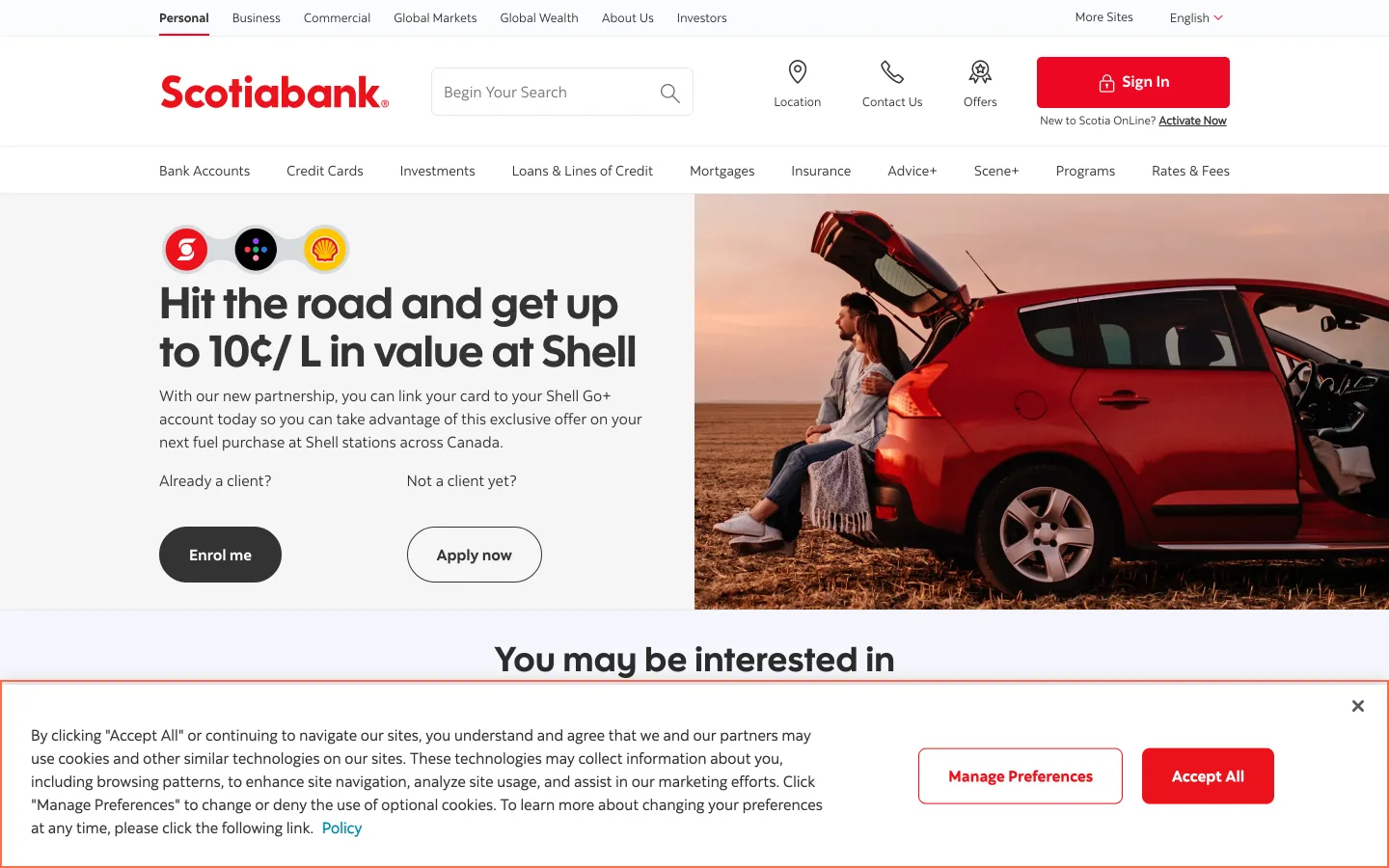
On the home page at 1440 × 900, 12 Tab presses moved only through the notice's 4 controls and the body, so 'Skip to content' and the page's links weren't reached. The same happened at Accessibility (390 px) and Ultimate Package. Pressing Close released Tab. The notice is a dialog named 'Privacy' with no aria-modal, and the page behind it isn't inert.
Implication
A keyboard user has to answer the notice before reaching anything on the page, though it covers only the foot of the screen and a mouse user can ignore it.
Recommendation
Let Tab move from the notice into the page, or set aria-modal and make the page behind it inert, if answering first is intended.
Measured
- 12 Tabs: only the notice's 4 controls and the body
Finding 5Medium
The logo link has no name on 9 pages
Observation
The Scotiabank logo link at the top of 9 pages, including Chequing Accounts, Credit Cards and the Passport Visa Infinite+ page, has no name, so axe reports link-name at 1440 px. The 5 social links in the Help Centre footer have none at any size, and neither does the card link on the Interest Savings Calculator.
Implication
A screen reader reads an unnamed link or its address for the link back to the home page, and the visitor can't tell Facebook from YouTube in the Help Centre footer.
Recommendation
Give the logo image alt 'Scotiabank home' and each social link an aria-label with the service's name. The Scotiabank logo on the older page template already has a name.
Measured
- axe link-name: 1 element (serious)
- axe link-name: 5 elements (serious)
Finding 6Medium
Carousel buttons on product pages point at an id that isn't in the page
Observation
On 7 pages, including Chequing Accounts and the Passport Visa Infinite+ page, axe reports aria-valid-attr-value on the carousel's Previous and Next buttons, whose aria-controls names an id that isn't in the page. On 6 pages the rates and fees panels are dl elements with a dd outside the dt group, so axe reports definition-list.
Implication
A screen reader can't tie the carousel buttons to the slides they move. In the panels, the note under 'Annual fee' can be read apart from the fee it explains.
Recommendation
Render aria-controls with the id the carousel uses at that size. Put each dd in the div that holds its dt, so every note stays with its term.
Measured
- Next: aria-controls names an id not in the page
- axe aria-valid-attr-value: 2 elements (critical)
- axe definition-list: 4 elements (serious)
Finding 7Medium
Footnote links are under 8 px wide at 390 px
Observation
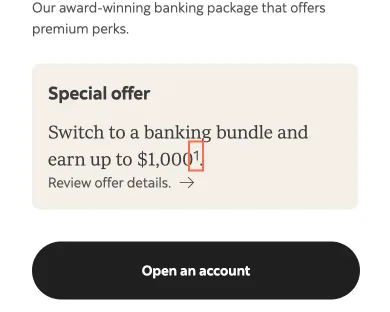
At 390 px a footnote link on the Ultimate Package page measured 5.7 × 21 px live and 7.4 × 21 px in the capture, under the 24 px minimum, and all are named 'navigate to legal Text 1' or similar. On Chequing Accounts they're #525252 beside #0D0D0D body text, 2.48:1 with no underline, so axe reports link-in-text-block. The Passport page's breadcrumb 'Credit Cards' is 18 px tall.
Implication
The footnotes hold the conditions on fees and offers. On a phone a digit 6 px wide is hard to tap, and on Chequing Accounts it doesn't look like a link.
Recommendation
Give footnote links a 24 × 24 px target with padding, underline them and name them 'Footnote 1'. Pad the breadcrumb links to 24 px.
Measured
- 'navigate to legal Text 1': 5.7 × 21 px
- axe link-in-text-block: 22 elements (serious)
- axe target-size: 1 element (serious)
Finding 8Medium
3 card images on Credit Cards have no alt attribute
Observation
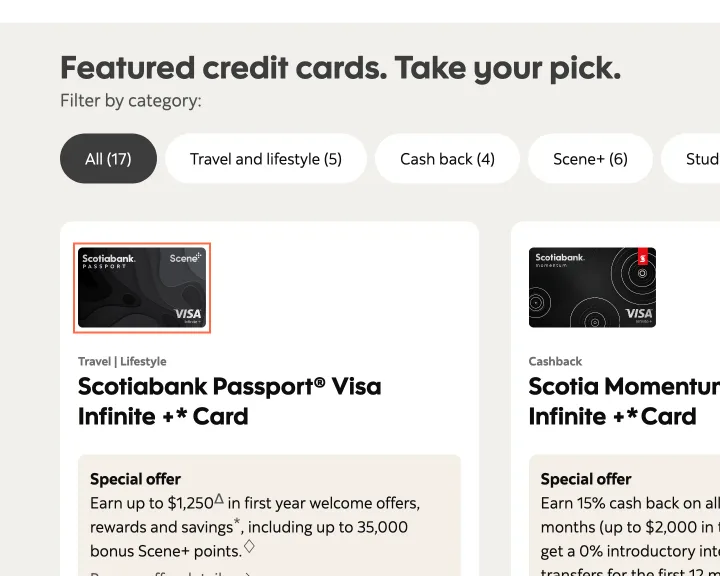
On Credit Cards, the art for the Passport Visa Infinite+, Momentum Visa Infinite+ and Gold American Express cards has no alt attribute, so axe reports image-alt on 3 elements at each size.
Implication
With no alt, a screen reader can read the file name, such as 'PVI-Plus-Card-EN.png', beside the card's heading.
Recommendation
Set alt="" on the 3 images if the heading beside each one names the card, or give each the card's name.
Measured
- Card image: no alt attribute
- axe image-alt: 3 elements (critical)
Finding 9Low
The Interest Savings Calculator runs 89 px past the window at 820 px
Observation
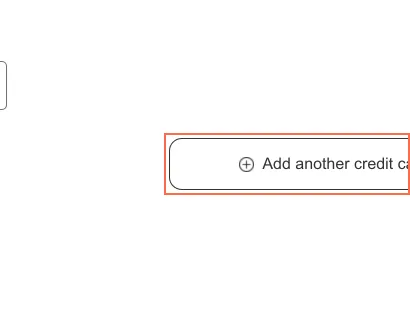
The Interest Savings Calculator is 909 px wide in an 820 px window, because its 'Add another credit card' link runs past the edge, and the engine's edge probe measured 874 px at 768 px.
Implication
On a tablet the visitor has to scroll sideways to read that link in full.
Recommendation
Let the row wrap at tablet width.
Measured
- 'Add another credit card' runs to x 909
- Page 909 px wide in a 820 px viewport
Finding 10Medium
The exchange rates table can't be scrolled by keyboard at 390 px
Observation
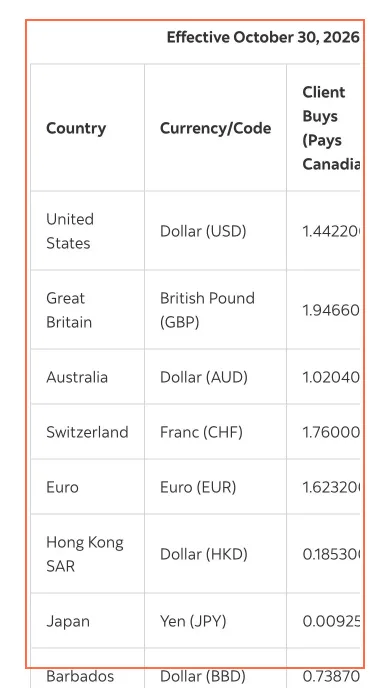
At 390 px the Foreign Exchange Rates table is 470 px wide in a 330 px region that has no tabindex and nothing focusable in it, so 'Client Sells (Receives Canadian)' stays outside it until scrolled. axe reports scrollable-region-focusable there. It also reports the GIC rates table, which fit its region on the live check.
Implication
A keyboard user in a narrow window, or zoomed in, can't reach the column with the rate for selling a currency. Touch scrolling works.
Recommendation
Add tabindex='0', role='region' and an aria-label to the scrolling region, or stack the table's columns at phone width.
Measured
- Table 470 px wide in a 330 px region, no focus stop
- axe scrollable-region-focusable: 1 element (serious)
Finding 11Medium
FAQ rows on Mortgages use role 'tab' around a button, with no tab list
Observation
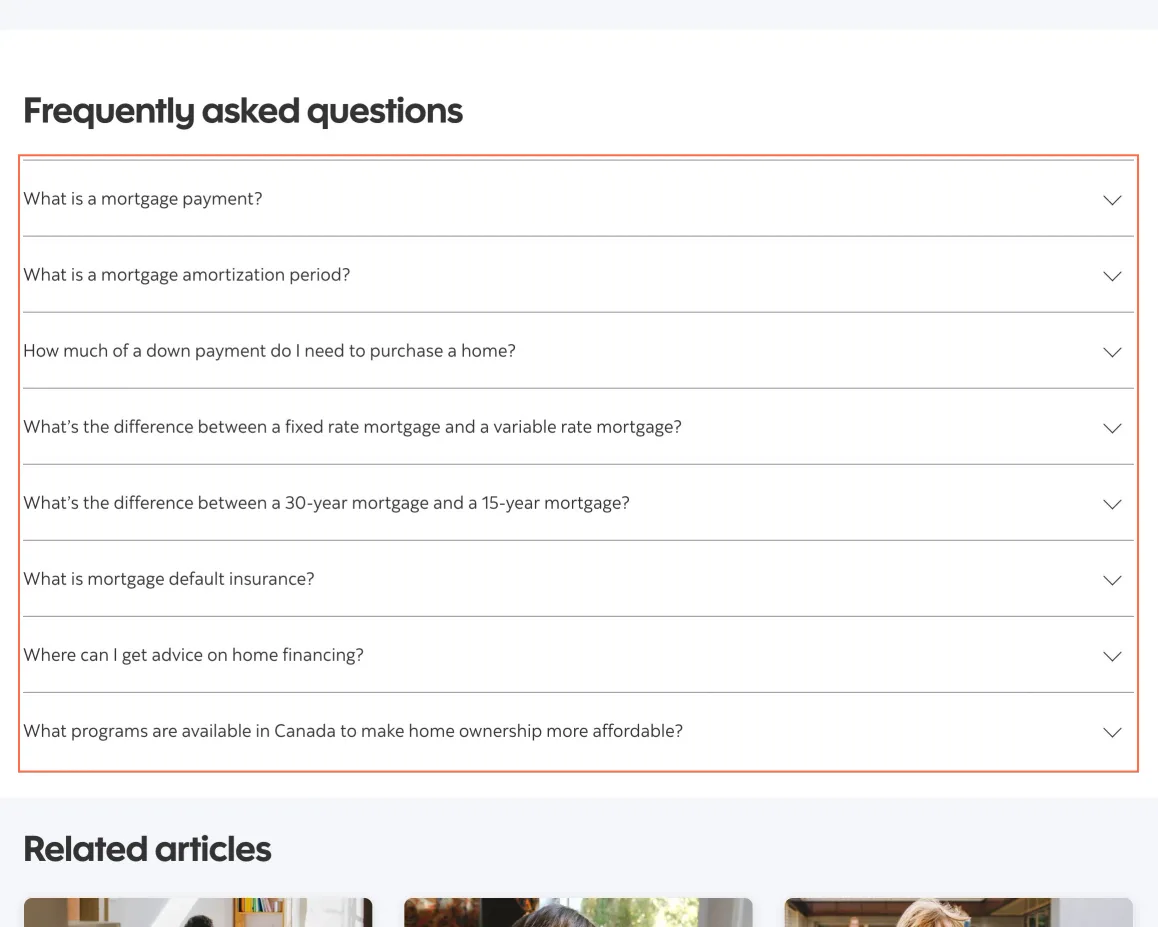
On Mortgages and the Mortgage Calculator, the 7 FAQ rows are div elements with role='tab' that each hold a button, and no tablist surrounds them. axe reports aria-required-parent and nested-interactive at all 3 sizes. Each closed button's name ends in 'collapse', and it has no aria-expanded until it's pressed.
Implication
A screen reader announces a tab, then a button, then 'collapse' on an answer that's closed, which is the opposite of what pressing it does.
Recommendation
Remove role='tab' from the rows. Keep a button inside a heading, set aria-expanded on it from load and drop the hidden word 'collapse'.
Measured
- 7 closed FAQ rows, role tab, names end in 'collapse'
- axe aria-required-parent: 7 elements (critical)
- axe nested-interactive: 7 elements (serious)
Finding 12Medium
The ScotiaLine link on the Scotia Plan Loan page measures 4.35:1
Observation
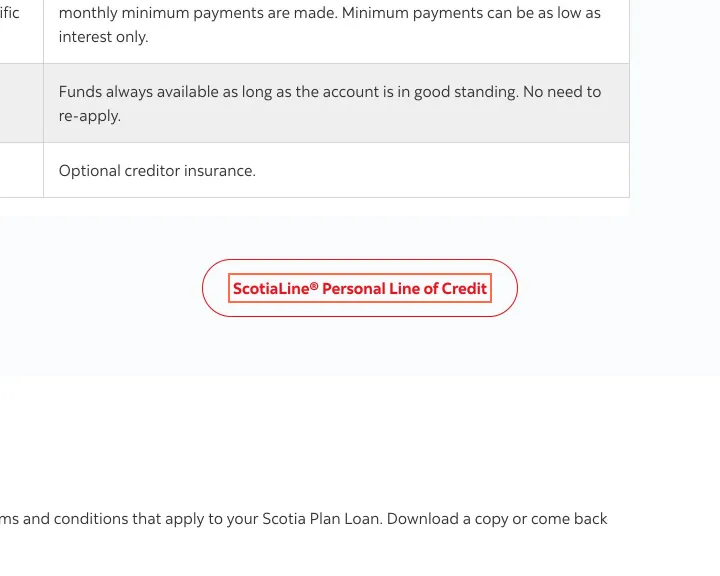
'ScotiaLine Personal Line of Credit' on the Scotia Plan Loan page is #EC111A on #FAFBFD at 16 px, 4.35:1. axe reports color-contrast on 2 more pages. The TFSA Calculator's 'Possible rate' is #808080 on #F5F5F5 at 14 px, 3.62:1, and the mobile app page's white on #F2609E measures 3.02:1.
Implication
Visitors with low vision lose the link to a related product on the page, the labels in the TFSA tool and the 2 panel descriptions on the mobile app page.
Recommendation
Darken the link red to 4.5:1 on #FAFBFD, change the calculator's text to #707070 or darker, and darken the pink and blue panels on the mobile app page.
Measured
- ScotiaLine link: #EC111A on #FAFBFD, 4.35:1
- axe color-contrast: 1 element (serious)
- axe color-contrast: 2 elements (serious)
Finding 13Medium
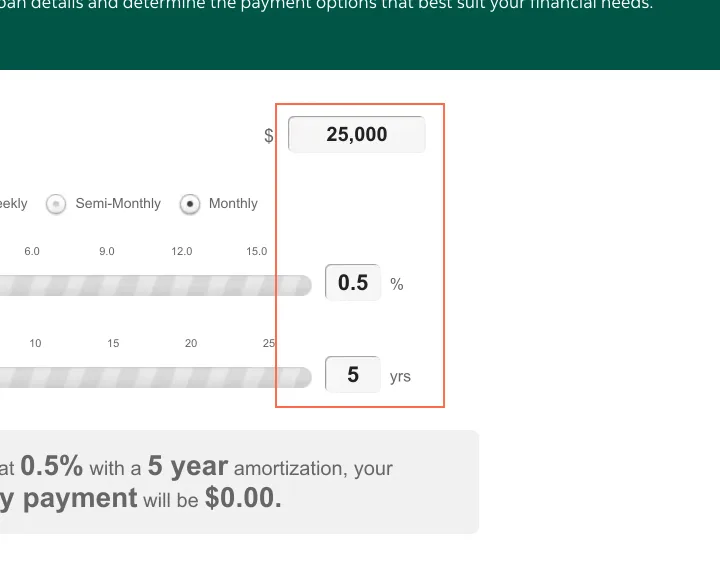
The Personal Loan Calculator's 3 inputs have no label
Observation
On the Personal Loan Calculator, the inputs for the amount, the interest rate and the amortization have no label, aria-label or title, and the words printed beside them aren't tied to them. axe reports the label rule on all 3 at each size. Each payment-frequency option is an li with role radio around a link, so axe reports nested-interactive on 4 elements at 1440 and 820 px.
Implication
A screen reader says only 'edit text' for each input, so a visitor can't tell the loan amount from the rate, and the payment the tool works out depends on those 3 figures.
Recommendation
Give each input a label element tied to the words already on screen: 'How much would you like to borrow?', 'Interest Rate' and 'Amortization'. Make each payment frequency a single radio input.
Measured
- Amount, rate and amortization inputs: no label
- axe label: 3 elements (critical)
- axe nested-interactive: 4 elements (serious)
Finding 14Low
The video dialog on Advice+ articles leaves focus behind it
Observation
On the RRSP vs. TFSA article, Enter on 'Video thumbnail' opens the video, but focus stays on that button, and 4 Tabs moved to the article's links behind the dialog. Escape closes it. The dialog is named 'Dialog Window (Press escape to close)'.
Implication
A keyboard user can't reach the video's controls or the Close button by Tab, and a screen reader isn't told which video opened.
Recommendation
Move focus into the dialog when it opens, keep it there and return it to the thumbnail on close. Name the dialog after the video.
Measured
- Focus stays on 'Video thumbnail'; 4 Tabs go behind the dialog
Finding 15Medium
The Offers filter is a select with role 'tablist' and no name

Observation
At 820 and 390 px the filter on Offers ('All Special Offers', 'Bank Accounts' and 5 more) is a select element with role='tablist' and no name. axe reports aria-required-children and select-name on it, and on the same control on Advice+ and Scene+.
Implication
A screen reader announces an unnamed tab list with no tabs, so a visitor isn't told that the control filters the offers or what it holds.
Recommendation
Remove role='tablist' from the select and give it a visible label, such as 'Show offers for'. Use the same fix on Advice+ and Scene+.
Measured
- Filter: select with role 'tablist' and no name
- axe aria-required-children: 1 element (critical)
- axe select-name: 1 element (critical)
Finding 16Low
The Scotia App page scrolls sideways by 15 px at every size
Observation
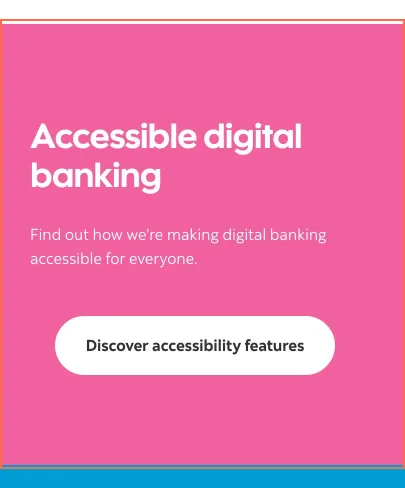
The Scotia App page is 15 px wider than the window at 1440, 820 and 390 px, because the row holding 'Accessible digital banking' runs 15 px past each side. At 390 px the window scrolled 15 px to the side.
Implication
On a phone the whole page shifts sideways under a vertical swipe.
Recommendation
Remove the negative margins from that row, or set overflow-x: clip on its container.
Measured
- Row from x -15 to 405: page scrolls 15 px sideways
- Page 405 px wide in a 390 px viewport
Finding 17Low
Help Centre pages and application first steps share page titles
Observation
The Help Centre home and its Credit Cards category are both titled 'Help Centre - Scotiabank Help Centre'. The first step of opening an account and of applying for a card are both 'Getting Started - Scotiabank', differing only by a capital.
Implication
A screen reader user and anyone with several tabs open can't tell these pages apart by title.
Recommendation
Put the page's own topic first, for example 'Credit cards - Help Centre' and 'Apply for a credit card - Scotiabank'.
Measured
- 2 pairs of pages share a title
Finding 18Medium
The locator's Search button has no name at 390 px
Observation
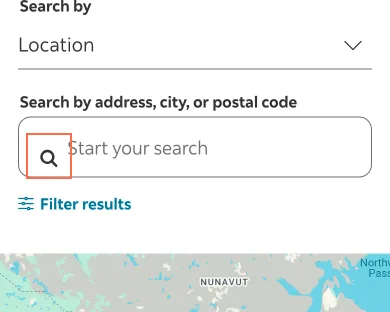
At 390 px the branch and ABM locator's search button is a 36 × 36 px icon with no name, and the location button next to the map has none at any of the 3 sizes. On Insurance and Travel Insurance the slider's next button, 21 × 21 px, has no name at 820 and 390 px.
Implication
A screen reader says 'button' for the controls that run the locator's main task, so a visitor looking for a branch has to press them to learn what they do.
Recommendation
Give the buttons an aria-label: 'Search', 'Use my location' and, on the insurance pages, 'Next product'. Add the same to the slider's previous button.
Measured
- Search button, 36 × 36 px: no name
- axe button-name: 2 elements (critical)
- axe button-name: 1 element (critical)
Finding 19Medium
The French card page names 'Afficher tout' as 'Masquer tout'
Observation
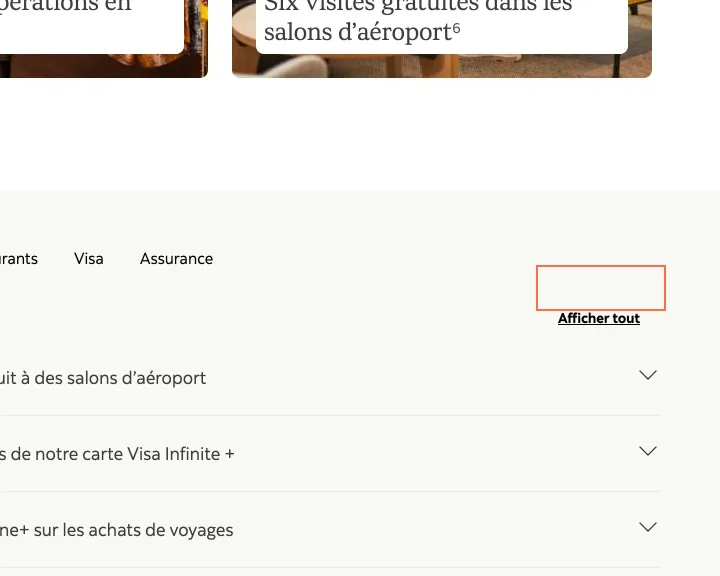
On the French Carte Visa Infinite + Passeport page, 'Afficher tout' has the name 'Masquer tout 5 accordions', and after a press 'Masquer tout' has the name 'Afficher tout 5 accordions'. All 55 footnote links are named in English ('navigate to legal Text 1'). The French home page names its search box in English, 'trending search results below', beside the visible 'Recherche'.
Implication
A French screen reader says the opposite of what the button does, and reads English for each footnote. A voice-control user who says 'Afficher tout' doesn't reach the control.
Recommendation
Swap the 2 French aria-labels, or remove them so the visible text is the name. Translate the footnote label, for example 'Aller à la note 1'.
Measured
- 'Afficher tout' named 'Masquer tout 5 accordions'
- 55 footnote links named 'navigate to legal Text…'
Finding 20Medium
The Activate Scotia OnLine page sets no language
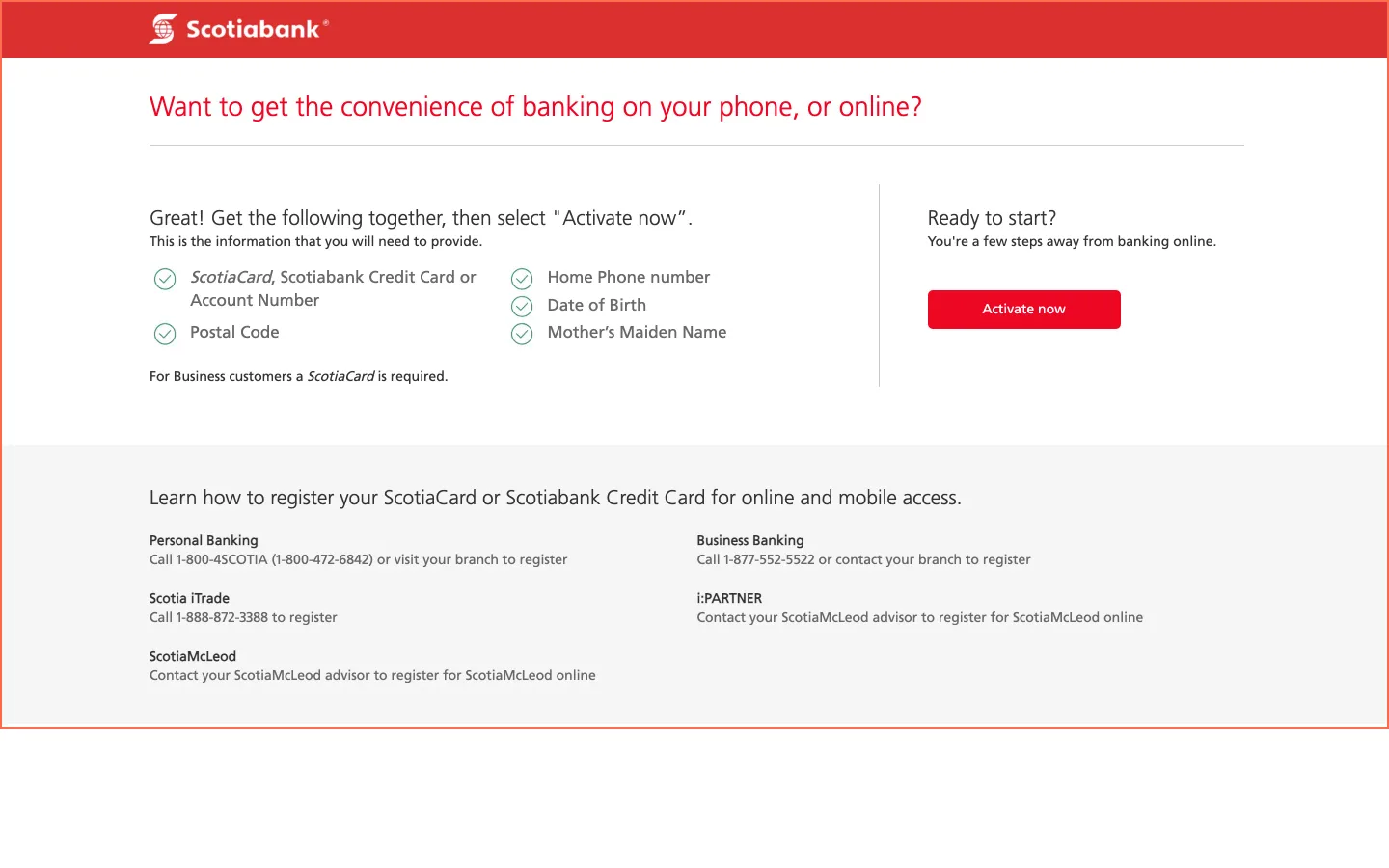
Observation
The html element on Activate Scotia OnLine has no lang attribute, so axe reports html-has-lang at all 3 sizes. It's the page behind 'Activate Now' under the header's Sign In link and 'Get online access' on the first step of opening an account or applying for a card.
Implication
A screen reader falls back on the listener's default language, so a visitor whose setup is French can hear the list of what to prepare read with French pronunciation.
Recommendation
Add lang='en' to the html element, and check the French version of the page for lang='fr'.
Measured
- axe html-has-lang: 1 element (serious)
What was examined
- Home
- Bank accounts
- Chequing accounts
- Chequing: Ultimate Package
- Savings accounts
- Savings: Scotia High Interest Savings Account
- Bank account fees
- Open an account, first step
- Credit cards
- All credit cards
- Credit card: Passport Visa Infinite
- Apply for a card, first step
- Credit card rewards calculator
- Interest savings calculator
- Investments
- TFSA
- TFSA calculator
- Rates and fees
- GIC rates
- Foreign exchange rates
- Mortgages
- Mortgage rates
- Mortgage calculator
- Loans and lines of credit
- Scotia Plan Loan
- Personal loan calculator
- Insurance
- Travel insurance
- Advice+
- Advice+ article
- Money Style quiz
- Book an appointment
- Offers
- Scene+
- Mobile app
- Digital banking guide
- Help Centre
- Help: credit cards
- Contact us
- Security and fraud
- Accessibility
- Branch and ABM locator
- French home
- French credit card
- Activate Scotia OnLine
- Compare credit cards
- Compare chequing accounts
I didn’t observe real users. I examined only public pages, signed out, on the date shown and at the sizes listed. A browser took the measurements, and each finding gives its numbers.
Automated checks
| Accessibility rules failed (axe) | 18 rules: 8 critical, 10 serious |
|---|---|
| Tap targets under 24 pixels The engine lists at most 10 per capture. | 47 |
| Links that open a new tab | 235 |
| Console errors on load | 238 |
The 18 rules, by impact, with the elements and pages each failed on
aria-valid-attr-valuecriticalWCAG 4.1.2 Name, Role, Value (A) · 22 elements on 7 pages: Chequing accounts; Chequing: Ultimate Package; Savings: Scotia High Interest Savings Account; Credit cards; Credit card: Passport Visa Infinite; TFSA; French credit card
aria-required-parentcriticalWCAG 1.3.1 Info and Relationships (A) · 14 elements on 2 pages: Mortgages; Mortgage calculator
aria-allowed-attrcriticalWCAG 4.1.2 Name, Role, Value (A) · 6 elements on 6 pages: Mobile app; Digital banking guide; Help Centre; Help: credit cards; Security and fraud; Accessibility
button-namecriticalWCAG 4.1.2 Name, Role, Value (A) · 4 elements on 3 pages: Insurance; Travel insurance; Branch and ABM locator
aria-required-childrencriticalWCAG 1.3.1 Info and Relationships (A) · 3 elements on 3 pages: Advice+; Offers; Scene+
image-altcriticalWCAG 1.1.1 Non-text Content (A) · 3 elements on 1 page: Credit cards
labelcriticalWCAG 4.1.2 Name, Role, Value (A) · 3 elements on 1 page: Personal loan calculator
select-namecriticalWCAG 4.1.2 Name, Role, Value (A) · 3 elements on 3 pages: Advice+; Offers; Scene+
label-content-name-mismatchseriousWCAG 2.5.3 Label in Name (A) · 61 elements on 46 pages: Home; Bank accounts; Chequing accounts; Chequing: Ultimate Package; Savings accounts; Savings: Scotia High Interest Savings Account; Bank account fees; Open an account, first step; Credit cards; All credit cards; Credit card: Passport Visa Infinite; Apply for a card, first step; Credit card rewards calculator; Interest savings calculator; Investments; TFSA; TFSA calculator; Rates and fees; GIC rates; Foreign exchange rates; Mortgages; Mortgage rates; Mortgage calculator; Loans and lines of credit; Scotia Plan Loan; Personal loan calculator; Insurance; Travel insurance; Advice+; Advice+ article; Money Style quiz; Book an appointment; Offers; Scene+; Mobile app; Digital banking guide; Help Centre; Help: credit cards; Contact us; Security and fraud; Accessibility; Branch and ABM locator; French home; French credit card; Compare credit cards; Compare chequing accounts
link-in-text-blockseriousWCAG 1.4.1 Use of Color (A) · 22 elements on 1 page: Chequing accounts
definition-listseriousWCAG 1.3.1 Info and Relationships (A) · 20 elements on 6 pages: Chequing accounts; Chequing: Ultimate Package; Savings: Scotia High Interest Savings Account; Credit cards; Credit card: Passport Visa Infinite; French credit card
link-nameseriousWCAG 2.4.4 Link Purpose (In Context) (A); WCAG 4.1.2 Name, Role, Value (A) · 20 elements on 12 pages: Chequing accounts; Chequing: Ultimate Package; Savings: Scotia High Interest Savings Account; Credit cards; Credit card: Passport Visa Infinite; Interest savings calculator; TFSA; Help Centre; Help: credit cards; French credit card; Compare credit cards; Compare chequing accounts
nested-interactiveseriousWCAG 4.1.2 Name, Role, Value (A) · 18 elements on 3 pages: Mortgages; Mortgage calculator; Personal loan calculator
color-contrastseriousWCAG 1.4.3 Contrast (Minimum) (AA) · 5 elements on 3 pages: TFSA calculator; Scotia Plan Loan; Mobile app
dlitemseriousWCAG 1.3.1 Info and Relationships (A) · 2 elements on 2 pages: Advice+; Contact us
scrollable-region-focusableseriousWCAG 2.1.1 Keyboard (A); WCAG 2.1.3 Keyboard (No Exception) (AAA) · 2 elements on 2 pages: GIC rates; Foreign exchange rates
html-has-langseriousWCAG 3.1.1 Language of Page (A) · 1 element on 1 page: Activate Scotia OnLine
target-sizeseriousWCAG 2.5.8 Target Size (Minimum) (AA) · 1 element on 1 page: Credit card: Passport Visa Infinite
The engine counted these on every page I examined, at all three sizes.
Other Banks and insurers analyses
- Chase.com
Chase.com blurs its CD rates behind a ZIP code prompt that × doesn't close, and on narrow screens its credit card list opens without an APR figure or annual fee amount.
- CIBC.com
CIBC.com’s branch locator names its search box ‘home.search.ariaLabel’, and 11 links on All Cards are named only ‘Opens a new window’.
- RBCRoyalBank.com
RBC’s home page names 3 article cards ‘object Object’, and the phone sign-in has a checkbox with no name beside a help button called ‘The svg icon help’.
- TD.com
TD.com’s EasyWeb sign-in page turns off pinch zoom, and a ‘Get started’ button on the chequing page is named ‘Earn 50% more Stars at Starbucks Learn more’.