UX heuristic analysis · Telecom and health
Rogers.com: a UX heuristic analysis
For Rogers’s digital product team
- Assessed
- Published
- Examined
- 53 pages of Rogers at desktop (1440 px), tablet (820 px) and phone (390 px)
- Method
- I read 53 public pages signed out at three sizes (1440 × 900, 820 × 1180, 390 × 844) in headless Chromium on 30 October 2026, measured them with axe-core and the engine’s own checks, and checked every finding by hand. robots.txt disallows www.rogers.com’s sign-in address and the cart, so I read the MyRogers (Shaw) sign-in and the Rogers Bank sign-in, and no cart. The scroll-through stopped early on Phones, the iPhone 18 Pro page and Wireless deals, and I don’t claim anything about the part it didn’t reveal. Requests to advertising and analytics hosts were refused, so load time and layout shift aren’t counted. I reviewed the pages from Toronto, Canada.
Summary
Rogers' iPhone 18 Pro page has 4 unnamed colour choices in a group called 'Radio Group Label'
The iPhone 18 Pro page gives a screen reader 4 colour buttons with no names, in a group called 'Radio Group Label'. The alt text on 28 images, 2 of them on the home page, reads 'alt=NULL', and the header's 'Français' control fails on 49 of 53 pages. The $33.72 a month on the iPhone 18 Pro page assumes the phone goes back within 2 years, and that condition is further down the page. axe found 18 rules failing across 53 pages at 3 sizes, seen from Toronto, Canada, signed out.
Where to start
- Finding 8: The iPhone 18 Pro colour choices have no names, in a group called 'Radio Group Label' Medium
- Finding 1: The alt text on 28 images across 7 pages reads 'alt=NULL' Medium
- Finding 3: The header's 'Français' link is a switch with no state, and 'ON' is named 'Province' Medium
- Finding 6: The 'How many lines do you need?' field on Mobile plans has no name Medium
| High | Medium | Low | Best practice |
|---|---|---|---|
| 0 | 10 | 7 | 1 |
The 18 findings
The findings about the whole site come first, then each page in the order I examined it, most severe first within each. The levels (high, medium, low, best practice) are explained on the method page.
Finding 1Medium
The alt text on 28 images across 7 pages reads 'alt=NULL'
Observation
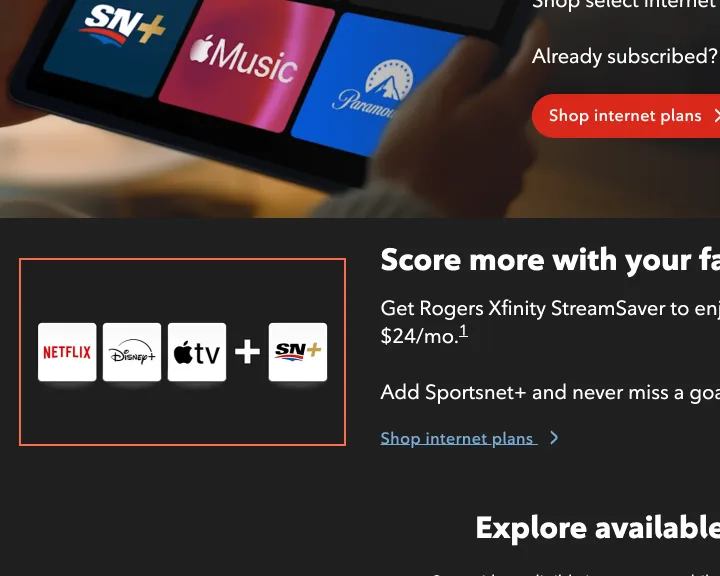
The alt text on 28 images reads 'alt=NULL', 'ALT=null' or 'ALT=Null': 9 on Streaming apps, 7 on Home security devices, 5 on TV plans and 2 each on Home, Home security and the French home page, and 1 on Internet: check your address, behind the address dialog. The image on Streaming apps that shows the 4 services in the bundle means something.
Implication
A screen reader reads 'alt equals null' out loud in the middle of plan tiles and offers, and the picture that names the services in a bundle is lost.
Recommendation
Replace the value in the content system with real alt text where the image says something, such as 'Netflix, Disney+, Apple TV and Sportsnet+', and an empty alt where it doesn't. Add a publish check that rejects 'null' in that field.
Measured
- 28 images on 7 pages have the alt text 'alt=NULL'
Finding 2Medium
The × on the offer banner has no name
Observation
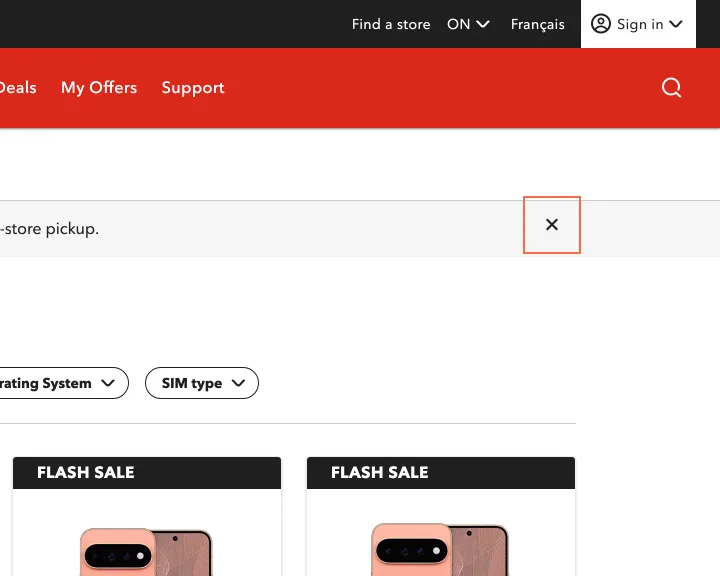
The close button on the alert banner has no accessible name, at all 3 sizes, on Phones, the iPhone 18 Pro page, the French Galaxy S26 page and Rogers Business. It's the same component on each, and on Rogers Business it has aria-label=''.
Implication
A screen reader user reaches a blank button at the top of the shopping pages, before the phone name, and can't tell it dismisses the banner.
Recommendation
Give the shared alert component a default name, 'Close', and 'Fermer' in French, and let a page override it.
Measured
- axe button-name: 1 element (critical)
Finding 3Medium
The header's 'Français' link is a switch with no state, and 'ON' is named 'Province'
Observation
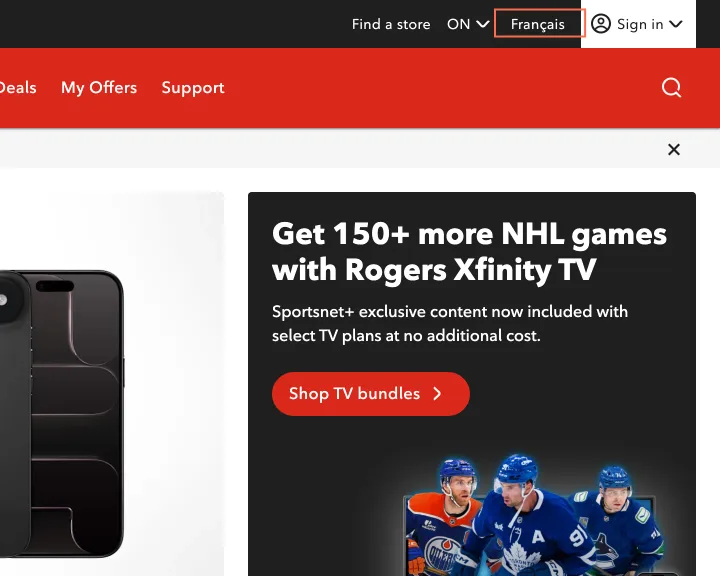
The 'Français' control is an element with role=switch holding a link with role=switch, and neither has aria-checked. axe reports it on 49 of the 53 pages. It's a link to the French site, so it has no on or off state. The province control shows 'ON' and has the aria-label 'Province'. Name matching fails on 52 of 53 pages, mostly on that control.
Implication
A screen reader announces a switch with no state, twice, on nearly every page, for what is a link. A voice-control user who says 'ON' doesn't reach the province menu.
Recommendation
Remove both switch roles so the control is a plain link with lang='fr'. Name the province button with its value first, for example 'ON, change province'.
Measured
- axe aria-required-attr: 2 elements (critical)
- axe nested-interactive: 1 element (serious)
- axe label-content-name-mismatch: 1 element (serious)
Finding 4Medium
The h1 is missing on 13 of the 53 pages, including the iPhone 18 Pro page
Observation
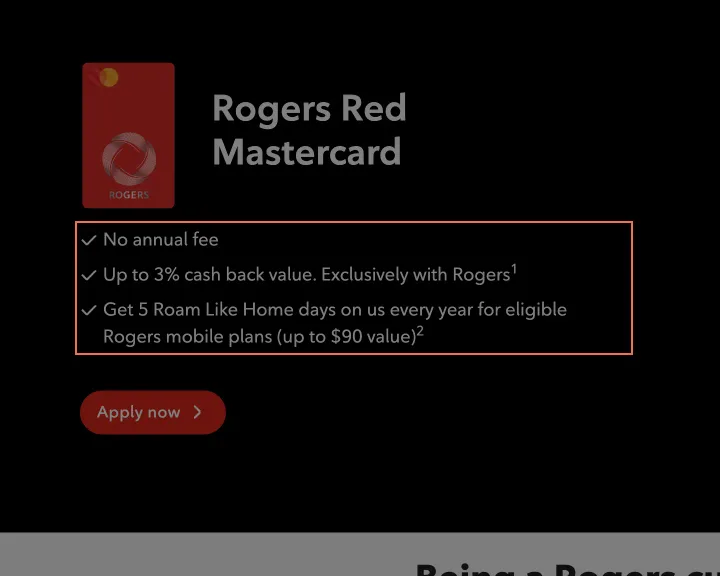
The h1 is missing on 13 pages, among them the iPhone 18 Pro page, whose product name is a span, and Phones, Search and the Rogers Red Mastercard page. Another 7 pages have more than 1, and Home phone has 4. Lists break too: the Rogers Red Mastercard benefits list has p elements inside its ul, and a Mobile add-ons tile has its items inside a small element.
Implication
A screen reader user who jumps to the main heading finds nothing, or a choice of 4. The first heading on the phone page is 'You may also like:'.
Recommendation
Make the page name the h1 in the product, listing and search templates, and demote the extra h1s on Home phone. Fix the 2 lists so that only li elements sit inside ul.
Measured
- 13 of 53 pages have no h1; 7 have more than 1
- axe list: 1 element (serious)
Finding 5Low
The home page's Google Play link is named 'Rogers test'
Observation
At 390 and 820 px the Google Play link under 'My Rogers, On the Go' has the aria-label 'Rogers test Android Download Get It On Google Play', and its hidden text is 'Rogers test'. It looks like a test value left in the content system. The link goes through a.localytics.com over http.
Implication
A screen reader user hears the word 'test' on the way to the app, on the company's home page.
Recommendation
Change the label to 'Get the MyRogers app on Google Play', and link to the store over https.
Measured
- Home: Google Play link named 'Rogers test Android…'
Finding 6Medium
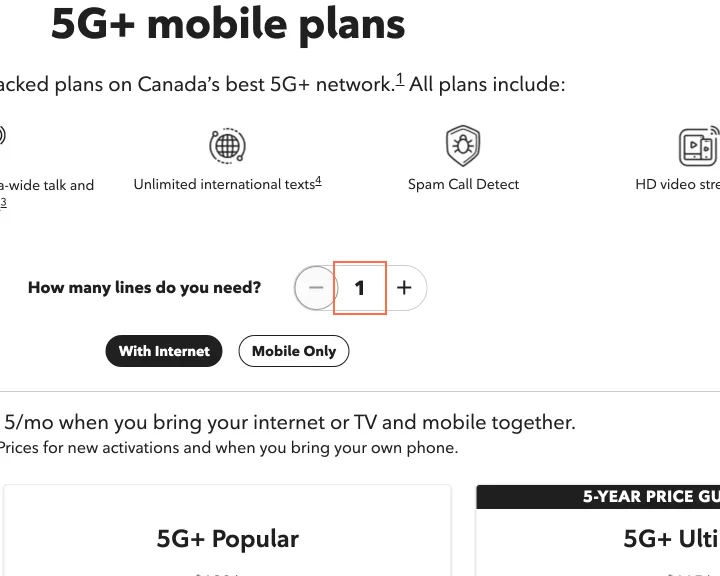
The 'How many lines do you need?' field on Mobile plans has no name
Observation
The number field under 'How many lines do you need?' has aria-label='' and no label, at all 3 sizes. The same page hides each price from screen readers with aria-hidden and leaves a footnote link inside it, so Tab lands on a link that screen readers have been told to skip. That second fault is on 8 pages, among them Internet plans, TV plans and Home phone.
Implication
Lines change the price on this page. A screen reader user hears an unnamed number and can't tell what it counts, and focus lands on hidden content at each price.
Recommendation
Name the field with the question, using aria-labelledby. Move each footnote link outside the aria-hidden price, and put it after the screen-reader price text.
Measured
- axe label: 1 element (critical)
- axe aria-hidden-focus: 4 elements (serious)
Finding 7Low
Mobile plans shows the with-internet price before anyone has said they have internet
Observation
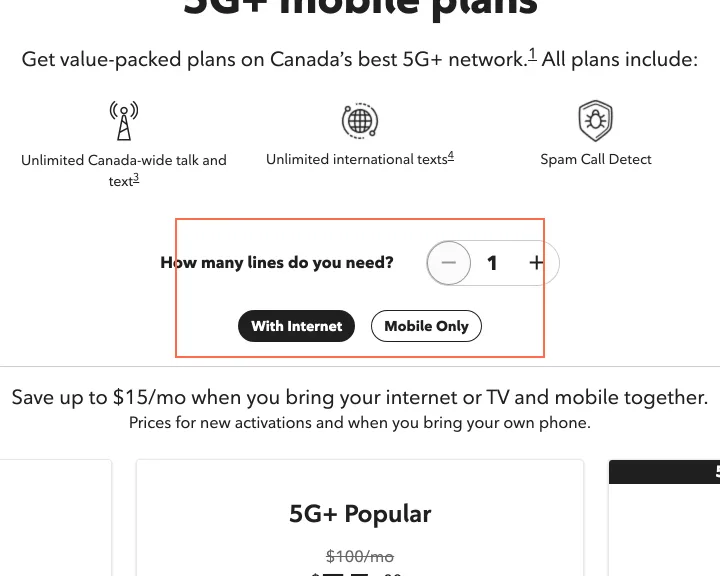
'With Internet' is selected when Mobile plans loads, so the 4 plans read $60, $75, $85 and $55. Choosing 'Mobile Only' makes them $75, $90, $100 and $70, which is $15 more on each. The line 'Save up to $15/mo when you bring your internet or TV and mobile together' is on the page.
Implication
A visitor who only wants a phone plan compares prices that don't apply to them until they notice the 2 small toggles.
Recommendation
Start on 'Mobile Only', and show the bundle saving as a line on each plan.
Measured
- Plans: 'With Internet' on load; Mobile Only adds $15
Finding 8Medium
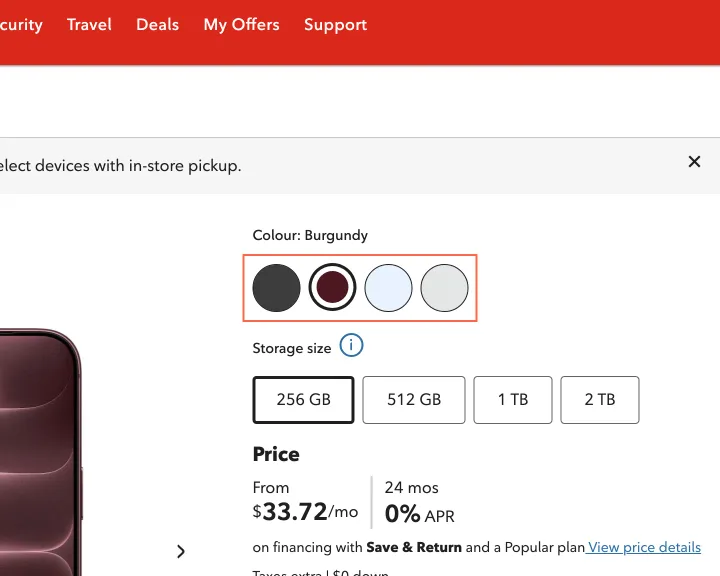
The iPhone 18 Pro colour choices have no names, in a group called 'Radio Group Label'
Observation
The 4 colour swatches on the iPhone 18 Pro page are radio buttons with no accessible name, at all 3 sizes. Their group, and the storage group below them, are both named 'Radio Group Label', which is a placeholder from the component. The storage radios do have names ('256 GB'). The French Galaxy S26 page has the same 2 unnamed radios and the same English group name.
Implication
A screen reader user hears 'radio button' 4 times with no colour, and has to select each one and then go back to the 'Colour:' line to learn what it was. On a $1,799.28 phone that's a real chance of ordering the wrong one.
Recommendation
Give each swatch its colour name, which the page already has as the input's value. Fill in the component's group label with 'Colour' and 'Storage size', in French on French pages, and make the label required so a blank can't reach production.
Measured
- iPhone 18 Pro: 4 unnamed radios in 'Radio Group Label'
- axe label: 4 elements (critical)
Finding 9Low
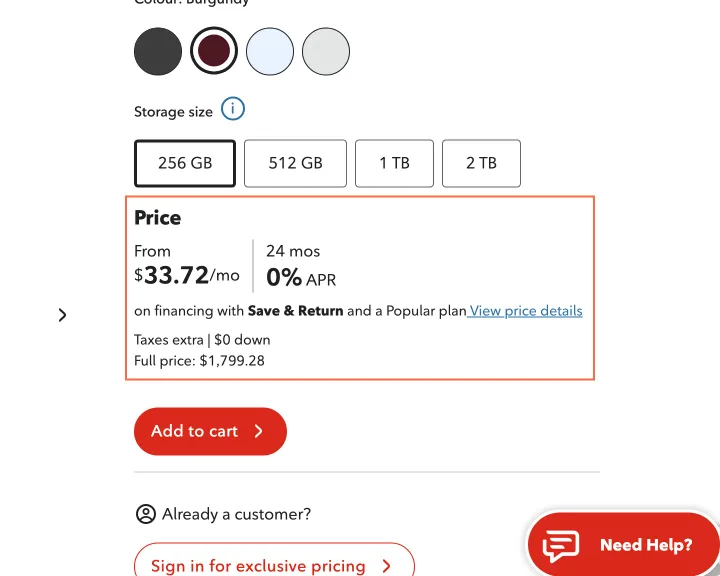
The $33.72 a month assumes the phone goes back, and the first screen doesn't say so
Observation
The first screen shows 'From $33.72/mo', 'on financing with Save & Return and a Popular plan' and 'Full price: $1,799.28'. $33.72 over 24 months is $809.28, which is $990 short of the full price. The $990 credit and its condition, 'phone must be returned within 2 years', appear further down under 'Things to know', and in the dialog behind 'View price details'.
Implication
A buyer who plans to keep the phone reads a price that's $41.25 a month under what they'd pay over 24 months, unless they already know what Save & Return means or read further down.
Recommendation
Put the amount beside the price: 'From $33.72/mo, with $990 due if you keep the phone after 24 months'. The dialog can keep the working.
Measured
- iPhone 18 Pro: $33.72/mo beside a $1,799.28 full price
- Price dialog: Save & Return -$990.00
Finding 10Medium
Search results have unnamed page arrows and an unnamed results-per-page select
Observation
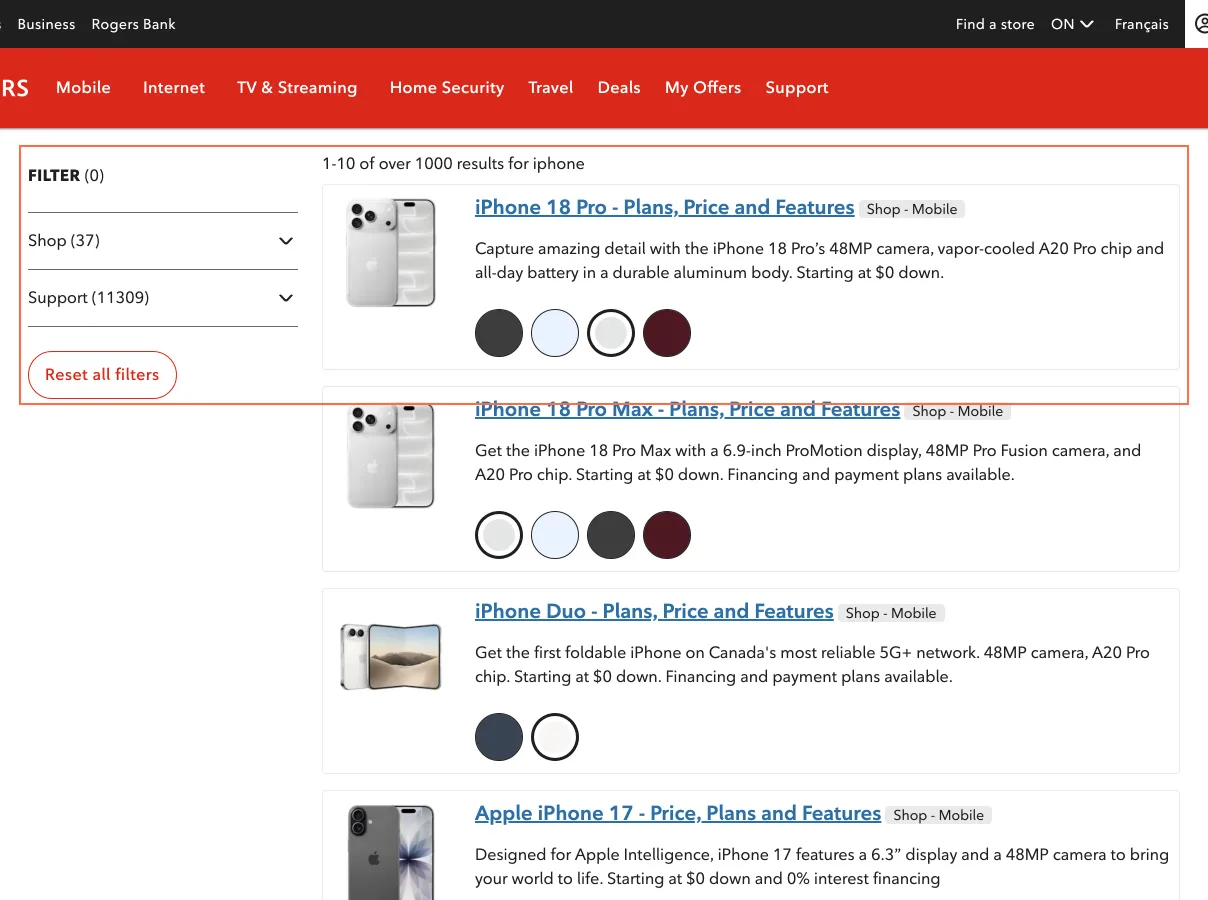
The 4 arrow buttons in the pagination have no accessible name, at all 3 sizes, and the select holding 5, 10, 25, 50 and 100 has aria-label=''. The first line reads '1-10 of over 1000 results for iphone', and the filters beside it read Shop (37) and Support (11309).
Implication
A screen reader user reaches 4 blank buttons and a list of bare numbers, so moving through results means guessing. Everyone gets 2 different totals for one search.
Recommendation
Name the buttons 'First page', 'Previous page', 'Next page' and 'Last page', and label the select 'Results per page'. Show the same total in both places.
Measured
- axe button-name: 4 elements (critical)
- Select: no accessible name
- Search: 'over 1000 results' beside filters adding to 11346
Finding 11Low
On a phone the Administrative charges table runs 73 px past its box
Observation
At 390 px the charges table is 415 px wide in a 342 px scrolling region, which cuts off the end of the Description column. The region can't take keyboard focus.
Implication
A phone visitor reads clipped descriptions of a $100.00 charge unless they think to swipe sideways. Someone using a keyboard can't scroll the table at all.
Recommendation
Stack each row into a label and value at this width. If the table stays, add tabindex='0' and a name to the region.
Measured
- Administrative charges, 390 px: table 73 px wider than its box
Finding 12Low
Map tools on the store, outage and coverage pages have unnamed parts
Observation
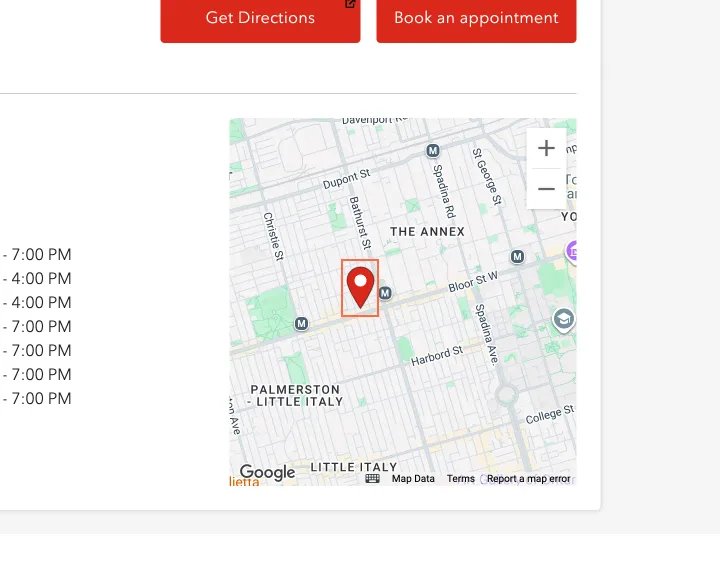
The store locator's results list has role=listbox with no name, and its search field has an aria-expanded it doesn't support. The store page's map has an unnamed button. The Network Outages map is an iframe with title=''. A select on the Network coverage map has no name.
Implication
A screen reader user gets 'frame' on the outage page with no word of what's in it, which is the reason they came, and hears blank controls on the other 3 pages.
Recommendation
Title the iframe 'Network outage map', name the listbox 'Store suggestions', name the coverage map's select, and use role=combobox on the locator's field.
Measured
- axe aria-input-field-name: 1 element (serious)
- axe aria-command-name: 1 element (serious)
- axe frame-title: 1 element (serious)
Finding 13Low
The Accessibility page's 'View details' links are named without those words
Observation
The 5 'View details' links on the Accessibility page have aria-labels such as 'for Vision accessibility', which leave out the words on screen. The chips on Contact us and Support have the same fault: axe counts 12 and 7 elements at 1440 px, the header's control included.
Implication
A voice-control user who says 'View details' gets no match, on the page written for them.
Recommendation
Start each aria-label with the visible words: 'View details for Vision accessibility'. Do the same in the chip component's label.
Measured
- Accessibility: 'View details' named 'for Vision accessibility'
Finding 14Best practice
'Remember username' is ticked on load on the MyRogers (Shaw) sign-in
Observation
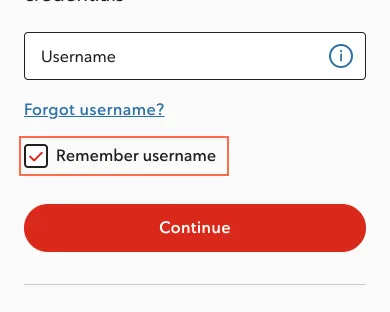
The 'Remember username' checkbox on the MyRogers (Shaw) sign-in is ticked before anyone touches it.
Implication
On a shared computer the next person sees the username unless the first remembered to untick it.
Recommendation
Leave it unticked, so that a person chooses to be remembered.
Measured
- Sign-in: 'Remember username' ticked on load
Finding 15Medium
The Rogers Business logo link has no name, and the phone thumbnails have none either
Observation
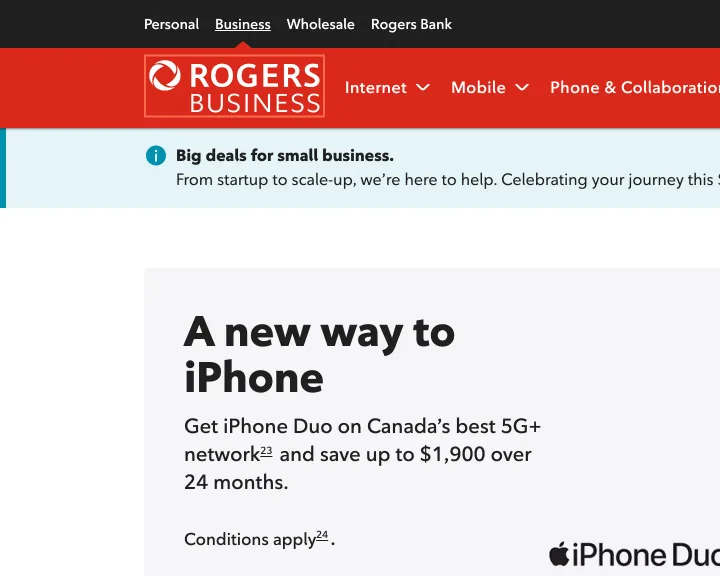
The Rogers Business logo in the header and footer is a link around an image with no alt attribute, on all 3 Business pages I read, so both links have no name. On the Business iPhone Duo page the 6 gallery thumbnails are buttons with no name. The Rogers Bank sign-in has a logo image with no alt too.
Implication
A screen reader user reaches 2 blank links on every Business page, and the usual route back to the Business home page doesn't say where it goes.
Recommendation
Add alt='Rogers Business' to the logo in the shared header and footer, and alt='Rogers Bank' on the sign-in. Name each thumbnail by what it shows, such as 'View 2 of 6: back of the phone'.
Measured
- axe image-alt: 2 elements (critical)
- axe link-name: 2 elements (serious)
- axe button-name: 6 elements (critical)
- axe image-alt: 1 element (critical)
Finding 16Medium
The Business phone page and TV channel listings stop people zooming in
Observation
The Business iPhone Duo page's viewport tag has maximum-scale=1, and the TV channel listings page has maximum-scale=1 and user-scalable=no. axe reports the tag on no other page of the 53.
Implication
A person with low vision can't pinch to enlarge a price or a channel number on either page, on browsers that honour the tag.
Recommendation
Remove maximum-scale and user-scalable from both tags, so they match the rest of the site.
Measured
- axe meta-viewport: 1 element (moderate)
Finding 17Low
The site map lists 2 pages that send visitors somewhere else
Observation
The Sitemap page links /internet/gaming, which goes to the home page, and the community forums address, which goes to Support. Neither lands on a page that says what happened.
Implication
A visitor who picks the gaming link lands on the home page with no explanation, and has to start again.
Recommendation
Remove the 2 links, or send them to the nearest page (Internet plans) and generate the site map from the live pages.
Measured
- Site map: 2 links land on other pages with no notice
Finding 18Medium
The French Galaxy S26 page has English headings and pale blue ones at 2.57:1
Observation
The French Galaxy S26 page has 2 English section headings, 'WHY SWITCH TO GALAXY' and 'ACCESSORIES', with French text below them, and neither is marked lang='en' on a page set to French. The 6 headings in that style are #6aa3f3 at 24 px on white, which axe measures at 2.57:1, under the 3:1 that large text needs.
Implication
A French reader sees those sections begin in another language, and a screen reader reads them with a French voice. The pale headings are hard to read for anyone with low vision.
Recommendation
Translate the 2 headings ('Pourquoi passer à Galaxy', 'Accessoires'). Change the colour to a blue that reaches 3:1 on white, such as #1a73e8, which is 4.5:1.
Measured
- French Galaxy S26: 2 headings in English, 2.57:1
What was examined
- Home
- Mobile plans
- Phones
- Phone: iPhone 18 Pro
- Bring your own phone
- Compare iPhone models
- Internet plans
- 5G Home Internet
- TV plans
- TV channel: A&E
- Home phone
- Home security plans
- Streaming apps
- Wireless deals
- Rates: roaming
- Trade-in
- Network coverage map
- Plans in Toronto
- Search results: iphone
- Support
- Administrative charges
- Outages
- Contact us
- Store locator
- Store: Bloor and Bathurst
- Connected for Success
- Mobile apps
- Accessibility
- Sign in: MyRogers (Shaw)
- Rogers Bank sign-in
- Internet: check your address
- Credit card
- Rogers Red Mastercard
- Rogers Business
- Business phone: iPhone Duo
- Business: get a callback
- Quick Pay
- Track your order
- Device financing
- Mobile add-ons
- TV channel listings
- Home security devices
- Device guides
- Mobile support
- Resolve a concern
- Book a store appointment
- Offers email sign-up
- Accessibility feedback
- Specialized plans and offers
- Site map
- Privacy and consumer codes
- Accueil (French home)
- Téléphone: Galaxy S26 (French)
I didn’t observe real users. I examined only public pages, signed out, on the date shown and at the sizes listed. A browser took the measurements, and each finding gives its numbers.
Automated checks
| Accessibility rules failed (axe) | 18 rules: 5 critical, 12 serious, 1 moderate |
|---|---|
| Tap targets under 24 pixels | 17 |
| Links that open a new tab | 38 |
| Console errors on load | 161 |
The 18 rules, by impact, with the elements and pages each failed on
aria-required-attrcriticalWCAG 4.1.2 Name, Role, Value (A) · 95 elements on 49 pages: Home; Mobile plans; Phones; Phone: iPhone 18 Pro; Bring your own phone; Compare iPhone models; Internet plans; 5G Home Internet; TV plans; TV channel: A&E; Home phone; Home security plans; Streaming apps; Wireless deals; Rates: roaming; Trade-in; Network coverage map; Plans in Toronto; Search results: iphone; Support; Administrative charges; Outages; Contact us; Store locator; Store: Bloor and Bathurst; Connected for Success; Mobile apps; Accessibility; Credit card; Rogers Red Mastercard; Rogers Business; Business phone: iPhone Duo; Business: get a callback; Quick Pay; Track your order; Device financing; Mobile add-ons; TV channel listings; Home security devices; Device guides; Mobile support; Resolve a concern; Offers email sign-up; Accessibility feedback; Specialized plans and offers; Site map; Privacy and consumer codes; Accueil (French home); Téléphone: Galaxy S26 (French)
button-namecriticalWCAG 4.1.2 Name, Role, Value (A) · 15 elements on 7 pages: Phones; Phone: iPhone 18 Pro; Search results: iphone; Rogers Business; Business phone: iPhone Duo; Quick Pay; Téléphone: Galaxy S26 (French)
image-altcriticalWCAG 1.1.1 Non-text Content (A) · 7 elements on 4 pages: Rogers Bank sign-in; Rogers Business; Business phone: iPhone Duo; Business: get a callback
labelcriticalWCAG 4.1.2 Name, Role, Value (A) · 7 elements on 3 pages: Mobile plans; Phone: iPhone 18 Pro; Téléphone: Galaxy S26 (French)
aria-allowed-attrcriticalWCAG 4.1.2 Name, Role, Value (A) · 2 elements on 2 pages: Store locator; Rogers Business
label-content-name-mismatchseriousWCAG 2.5.3 Label in Name (A) · 109 elements on 52 pages: Home; Mobile plans; Phones; Phone: iPhone 18 Pro; Bring your own phone; Compare iPhone models; Internet plans; 5G Home Internet; TV plans; TV channel: A&E; Home phone; Home security plans; Streaming apps; Wireless deals; Rates: roaming; Trade-in; Network coverage map; Plans in Toronto; Search results: iphone; Support; Administrative charges; Outages; Contact us; Store locator; Store: Bloor and Bathurst; Connected for Success; Mobile apps; Accessibility; Sign in: MyRogers (Shaw); Rogers Bank sign-in; Internet: check your address; Credit card; Rogers Red Mastercard; Rogers Business; Business phone: iPhone Duo; Business: get a callback; Quick Pay; Track your order; Device financing; Mobile add-ons; TV channel listings; Home security devices; Device guides; Mobile support; Resolve a concern; Offers email sign-up; Accessibility feedback; Specialized plans and offers; Site map; Privacy and consumer codes; Accueil (French home); Téléphone: Galaxy S26 (French)
nested-interactiveseriousWCAG 4.1.2 Name, Role, Value (A) · 46 elements on 46 pages: Home; Mobile plans; Phones; Phone: iPhone 18 Pro; Bring your own phone; Compare iPhone models; Internet plans; 5G Home Internet; TV plans; TV channel: A&E; Home phone; Home security plans; Streaming apps; Wireless deals; Rates: roaming; Trade-in; Network coverage map; Plans in Toronto; Search results: iphone; Support; Administrative charges; Outages; Contact us; Store locator; Store: Bloor and Bathurst; Connected for Success; Mobile apps; Accessibility; Credit card; Rogers Red Mastercard; Quick Pay; Track your order; Device financing; Mobile add-ons; TV channel listings; Home security devices; Device guides; Mobile support; Resolve a concern; Offers email sign-up; Accessibility feedback; Specialized plans and offers; Site map; Privacy and consumer codes; Accueil (French home); Téléphone: Galaxy S26 (French)
aria-hidden-focusseriousWCAG 4.1.2 Name, Role, Value (A) · 26 elements on 8 pages: Mobile plans; Internet plans; 5G Home Internet; TV plans; Home phone; Home security plans; Connected for Success; Specialized plans and offers
color-contrastseriousWCAG 1.4.3 Contrast (Minimum) (AA) · 7 elements on 2 pages: Rogers Red Mastercard; Téléphone: Galaxy S26 (French)
link-nameseriousWCAG 2.4.4 Link Purpose (In Context) (A); WCAG 4.1.2 Name, Role, Value (A) · 6 elements on 3 pages: Rogers Business; Business phone: iPhone Duo; Business: get a callback
aria-input-field-nameseriousWCAG 4.1.2 Name, Role, Value (A) · 3 elements on 3 pages: Network coverage map; Store locator; Internet: check your address
aria-prohibited-attrseriousWCAG 4.1.2 Name, Role, Value (A) · 3 elements on 3 pages: Rogers Bank sign-in; Rogers Business; Business phone: iPhone Duo
listitemseriousWCAG 1.3.1 Info and Relationships (A) · 3 elements on 1 page: Mobile add-ons
aria-command-nameseriousWCAG 4.1.2 Name, Role, Value (A) · 2 elements on 2 pages: Store: Bloor and Bathurst; Business phone: iPhone Duo
listseriousWCAG 1.3.1 Info and Relationships (A) · 2 elements on 2 pages: Rogers Red Mastercard; Mobile add-ons
frame-titleseriousWCAG 4.1.2 Name, Role, Value (A) · 1 element on 1 page: Outages
scrollable-region-focusableseriousWCAG 2.1.1 Keyboard (A); WCAG 2.1.3 Keyboard (No Exception) (AAA) · 1 element on 1 page: Administrative charges
meta-viewportmoderateWCAG 1.4.4 Resize Text (AA) · 2 elements on 2 pages: Business phone: iPhone Duo; TV channel listings
The engine counted these on every page I examined, at all three sizes.