UX heuristic analysis · Retail
IKEA.com: a UX heuristic analysis
For IKEA Canada’s digital product team
- Assessed
- Published
- Examined
- 37 pages of IKEA Canada at desktop (1440 px), tablet (820 px) and phone (390 px)
- Method
- 37 public pages, read signed out at three sizes (1440 × 900, 820 × 1180, 390 × 844) in headless Chromium on 30 October 2026; measured with axe-core and the engine's own checks, every finding checked by hand. Robots.txt disallows search results, the cart, favourites, sign-in and the IKEA Family sign-up, so I didn't examine them, and I never reached a checkout. The business sign-up form showed a session check, so I left it out and used the IKEA Business Network page. I reviewed the pages from Toronto, Canada.
Summary
IKEA Canada's Sofas page names 4 planner links 'Opens in a new tab or window'
IKEA Canada's Sofas page names its 4 planner links 'Opens in a new tab or window', so a screen reader hears that phrase 4 times and no planner. The language button's name leaves out its visible words on all 37 pages, and 'View in 3D' is named 'Show 3D modal'. Contact Us shows no phone number or email, and the BAGGEBO page's '365 days for a full refund' leaves the 90-day limit on opened products to a panel. axe found 3 rules failing across 37 pages at 3 sizes, which I read from Toronto, Canada. Robots.txt closes search, the cart and sign-in to my crawler, so I didn't examine them.
Where to start
- Finding 3: 4 planner links on the Sofas page are named 'Opens in a new tab or window' Medium
- Finding 1: The language button and 'View in 3D' have names that leave out their visible words Medium
- Finding 6: Contact Us shows no phone number or email, and its contact options start 3,000 px down Low
- Finding 4: The product page's '365 days for a full refund' leaves the 90-day limit to a panel Low
- Finding 2: The cookie notice takes 452 px of the 844 px phone screen and covers the open menu Low
| High | Medium | Low | Best practice |
|---|---|---|---|
| 0 | 2 | 5 | 2 |
The 9 findings
The findings about the whole site come first, then each page in the order I examined it, most severe first within each. The levels (high, medium, low, best practice) are explained on the method page.
Finding 1Medium
The language button and 'View in 3D' have names that leave out their visible words
Observation
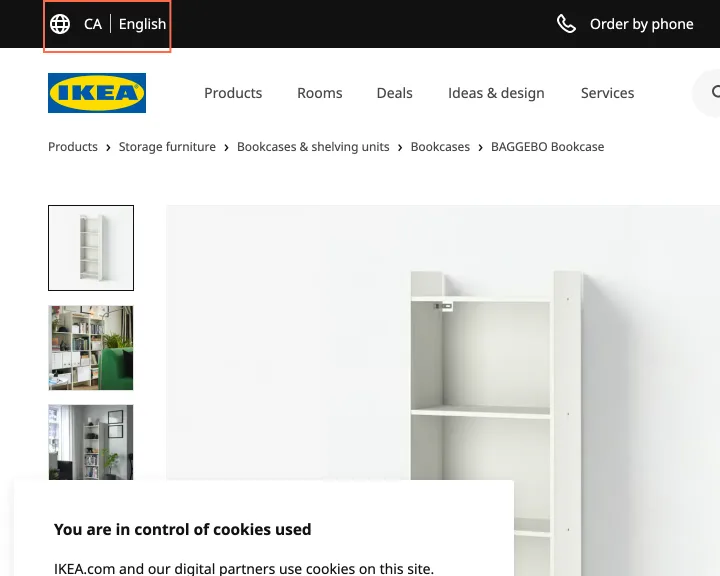
axe reports label-content-name-mismatch on all 37 pages. The header's language button shows 'CA English', or 'EN' at 390 px, and is named 'Change language or country/region, current language is English'. The product page's 'View in 3D' button is named 'Show 3D modal'. The French pages repeat both, with 'Afficher le modal 3D' on the French product.
Implication
A voice-control user who says 'View in 3D' doesn't reach the button, and the language control in the header of every page doesn't answer to 'CA' or 'EN'.
Recommendation
Start each name with the visible words, for example 'View in 3D, opens a dialog' and 'CA English, change language or country/region'. The fix goes in the shared header once and in the product gallery once.
Measured
- axe label-content-name-mismatch: 7 elements (serious)
- 'View in 3D' named 'Show 3D modal'
- axe label-content-name-mismatch: 8 elements (serious)
Finding 2Low
The cookie notice takes 452 px of the 844 px phone screen and covers the open menu
Observation
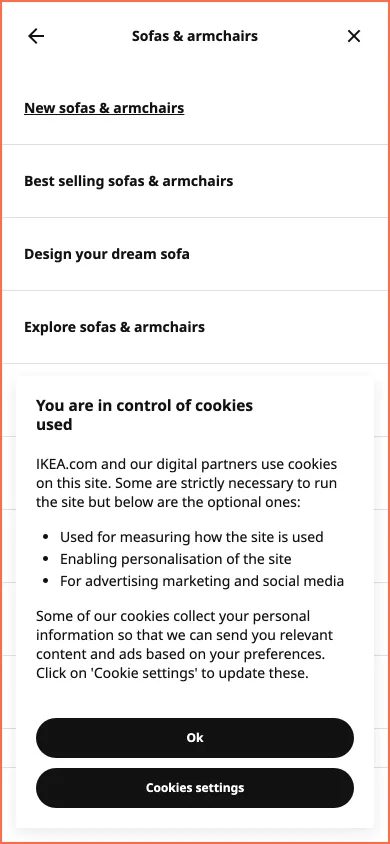
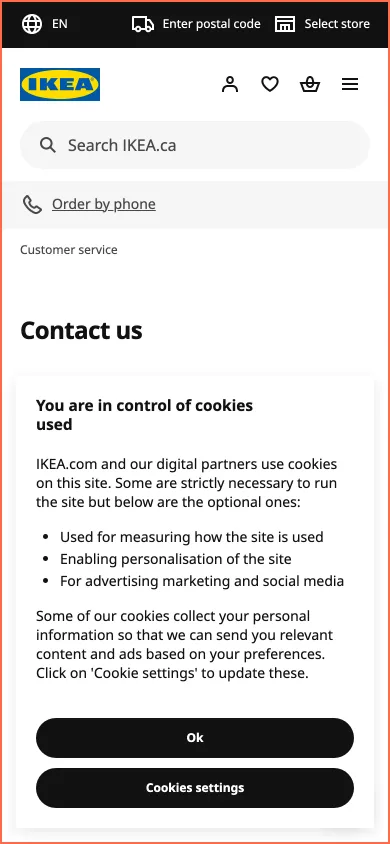
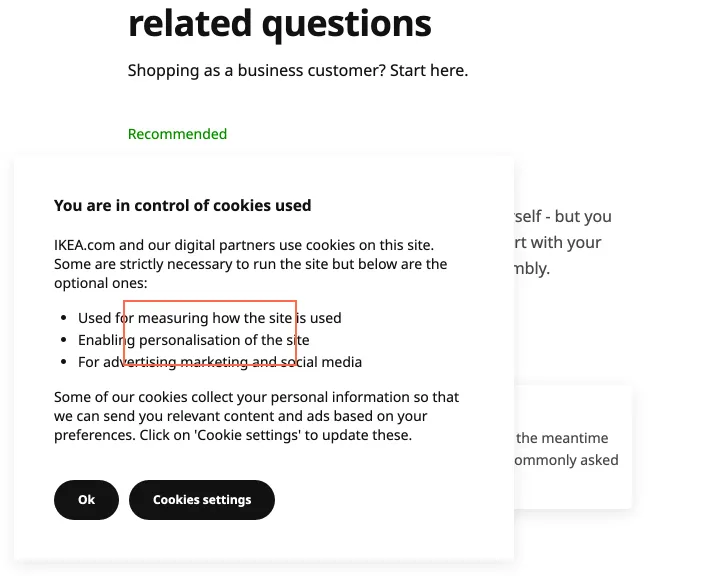
At 390 × 844 the home page's cookie notice is 358 × 452 px, fixed from y 376, over the hero. On the Sofas page the notice is over the open menu. It offers 'Ok' and 'Cookies settings'. In settings the 3 optional categories are on before any choice.
Implication
On a first visit a phone user can't read the lower half of the screen or the lower half of the menu until they choose. Refusing takes more steps than 'Ok', which takes 1 tap.
Recommendation
Shorten the notice to about a third of the screen, add a button that refuses the optional categories, and keep the notice under an open menu.
Measured
- Overlap: 350 × 350 px (122500 px²)
- Cookie notice covers the open menu at 390 px
- 3 optional cookie categories on before any choice
Finding 3Medium
4 planner links on the Sofas page are named 'Opens in a new tab or window'
Observation
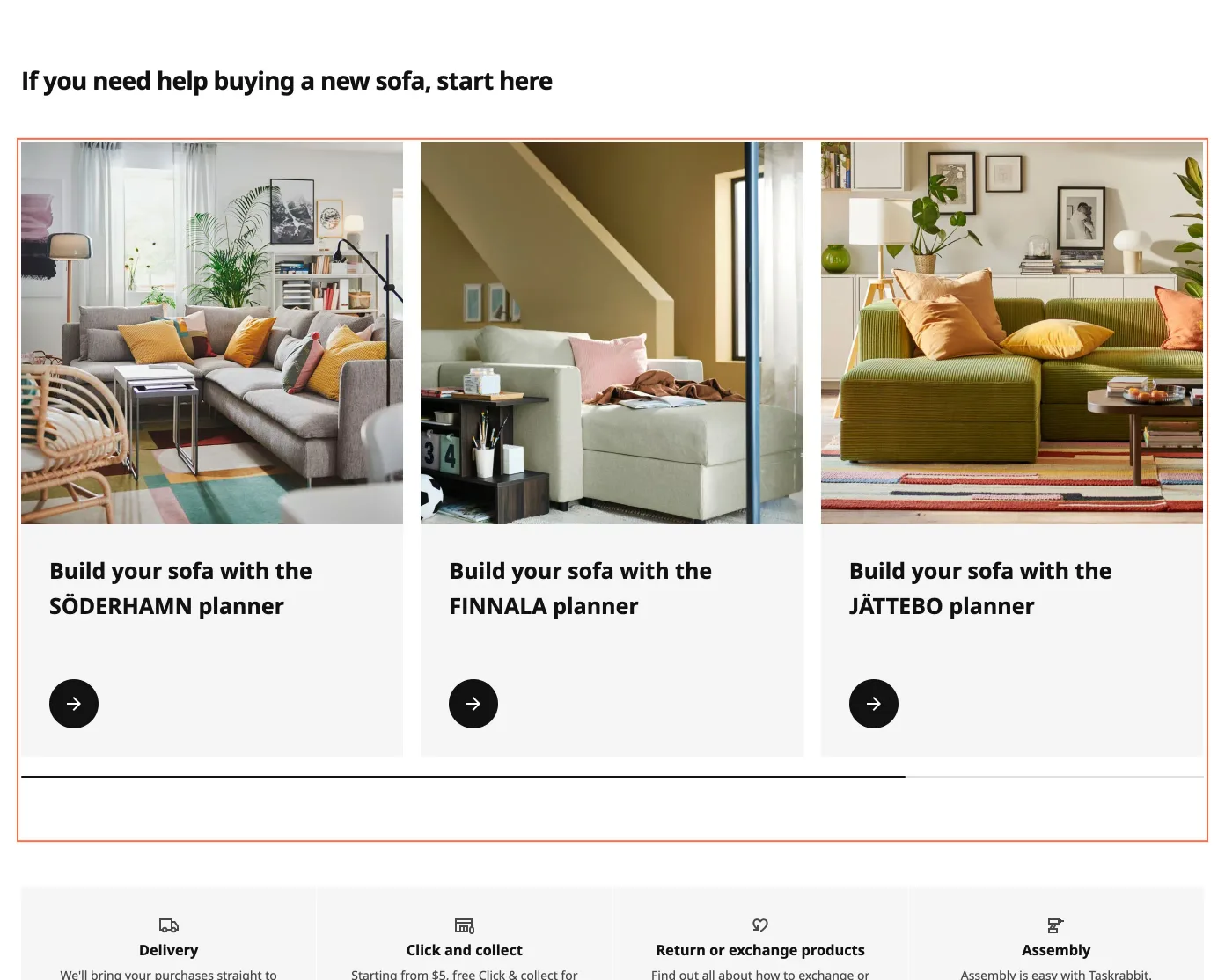
On the Sofas page the cards 'Build your sofa with the SÖDERHAMN planner', and the same for FINNALA, JÄTTEBO and KIVIK, are links with the aria-label 'Opens in a new tab or window'. The label replaces the card's text, so all 4 links have one name at 1440 and 390 px. axe reports label-content-name-mismatch on the 3 in view at 1440 px and 1 at 390 px; the DOM holds 4.
Implication
A screen reader announces that phrase 4 times and names no planner, and in a links list the 4 entries can't be told apart. A voice-control user who says 'Build your sofa' doesn't reach the card.
Recommendation
Remove the aria-label so the card's text is the name, or add ' - Opens in a new tab or window' after that text, the way the store links on the Mobile Apps page do.
Measured
- 4 planner links named 'Opens in a new tab or window'
Finding 4Low
The product page's '365 days for a full refund' leaves the 90-day limit to a panel
Observation
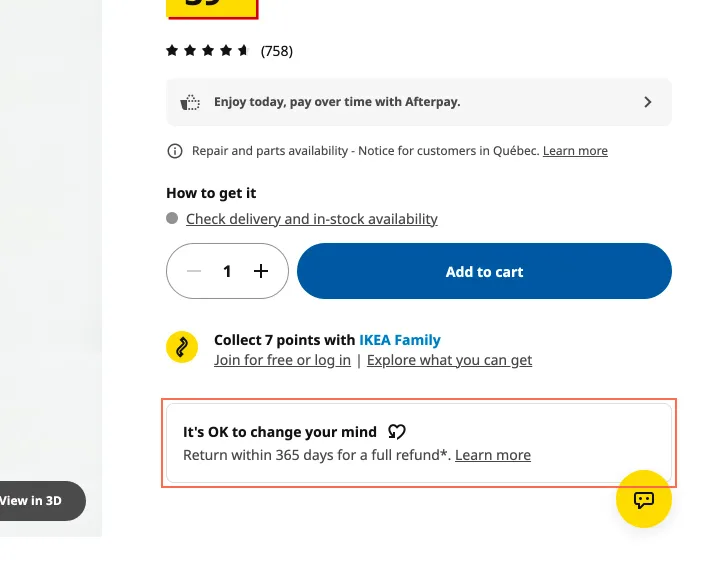
BAGGEBO's page says 'Return within 365 days for a full refund*.' under 'It's OK to change your mind'. The asterisk has no note on the page. The 'Learn more' panel says new and unopened products get 365 days and open products get 90, and the Exchanges & Returns page says the same.
Implication
Flat-pack furniture has to be opened to be assembled, so a buyer who builds the bookcase has about a quarter of the time the line on the page promises.
Recommendation
Put both limits in the line: 'Return unopened within 365 days, or opened within 90.' Drop the asterisk.
Measured
- '365 days for a full refund*': 90 days for open products
Finding 5Low
The Home Design page is 368 px wide at 320 px and has no H1
Observation
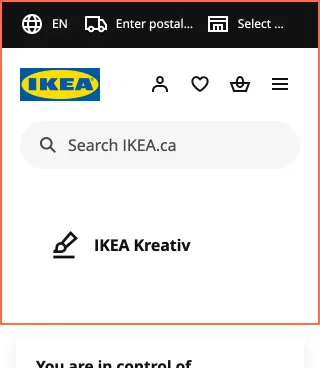
At 320 × 568 the Home Design page measures 368 px wide, because of its app download banner, and scrolls sideways. The page has no H1. The 'Open design with code' search field has a placeholder and no label, and axe reports a 0 × 0 link to /ca/en/home-design/room/ with no name.
Implication
A visitor at 400% zoom scrolls sideways through the banner. A screen reader user has no H1 to jump to, a field with no lasting name, and an empty link in the reading order.
Recommendation
Let the banner wrap at 320 px, make 'Design your perfect space with IKEA Kreativ' the H1, add a label to the field, and remove the empty link.
Measured
- 368 px wide at 320 px; no H1
- Page 368 px wide in a 319 px viewport
- search field: no accessible name
- axe link-name: 1 element (serious)
Finding 6Low
Contact Us shows no phone number or email, and its contact options start 3,000 px down
Observation
The Contact Us page opens with a search box, 10 FAQ cards and self-service links. 'Get in touch with us', with 'Get started' and 'Start chat', begins at y 3000 of 6312 at 390 px and y 1955 at 1440 px. The page has no tel or mailto link and no phone number in its text, and neither does Customer Service. The purchase line, 1-866-866-4532, is on the page behind 'Order by phone'.
Implication
A visitor who came to reach someone scrolls past the FAQ first and still doesn't see a number. Help is reachable, with more steps than the page's name promises.
Recommendation
Move 'Get in touch with us' to the top of Contact Us and list the phone numbers and their hours there.
Measured
- Contact Us: 0 tel links, 0 mailto links, no number
Finding 7Low
The support page's phone button drops the number from its name while the line is closed
Observation
At 11:24 p.m. ET on 30 October the business support page showed 1-833-371-0818 on a disabled button. Its aria-label reads 'Our Customer Service Center is closed. Your call with IKEA will not be charged', with no number. The text below says the centre is closed and gives no opening hours.
Implication
A screen reader user hears that the line is closed and doesn't hear the number to call later. Nothing on the card says when to come back.
Recommendation
Keep the number in the name, for example '1-833-371-0818, closed now', and show the opening hours under the button.
Measured
- Disabled phone button: name has no number
- axe label-content-name-mismatch: 3 elements (serious)
Finding 8Best practice
15 city links on Exchanges & Returns open waitwhile.com in a new tab with no cue
Observation
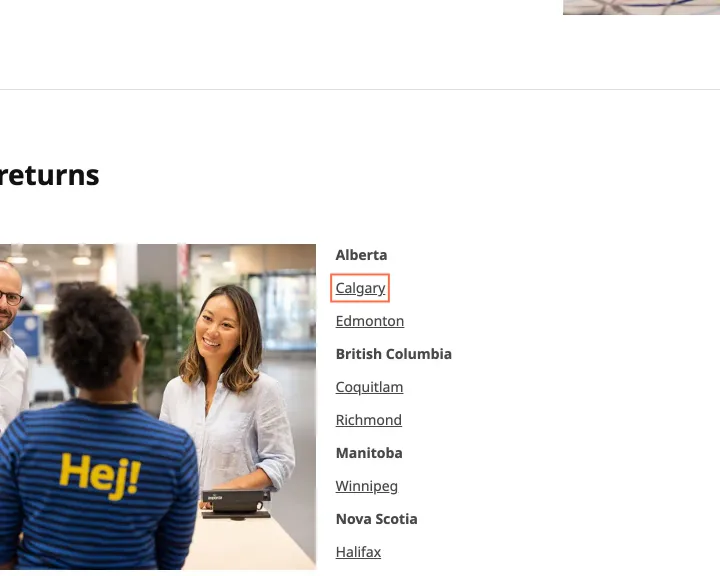
Under 'In-store returns' the links from Calgary to Quebec, 15 in all, open waitwhile.com in a new tab. They have no icon, nothing in their names says so, and no text beside them says what the link does.
Implication
A visitor who expects a store page gets another site in another tab, and Back on a phone doesn't return to the Returns page.
Recommendation
Add a line above the list that says what the links do, and give each one a new-tab icon and visually hidden '(opens in a new tab)'.
Measured
- Calgary: opens a new tab, no cue
- 15 city links open waitwhile.com in a new tab, no cue
Finding 9Best practice
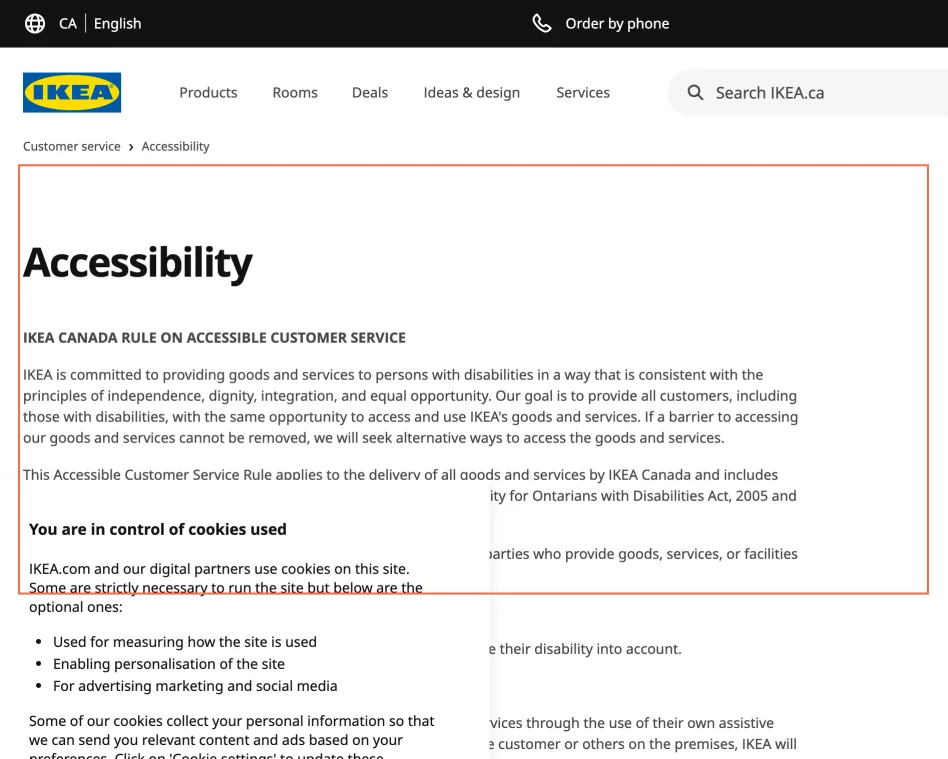
The Accessibility page covers customer service and says nothing about the website
Observation
The page is the 'IKEA Canada Rule on Accessible Customer Service': assistive devices, service animals, support persons and staff training. Its text names no web standard and mentions the website once, as a place for disruption notices. The feedback link reads 'click here', and the H2 above the 3 PDFs is empty. The PDFs weren't read.
Implication
A visitor who hits a barrier on the site finds no statement of what the site aims to meet, and no route named for a problem with the site itself.
Recommendation
Add a section on IKEA.com: the standard it aims to meet, known gaps and a named contact for web barriers. Rewrite the link as 'Contact IKEA online' and give the H2 its title.
Measured
- Accessibility page: customer service rule, nothing on the site
What was examined
- Home
- All products
- Category: sofas
- Product listing: bookcases
- Product: BAGGEBO bookcase
- Product: SÖDERHAMN sofa
- Offers
- Last chance
- New products
- Room: kitchen
- How to plan and buy your kitchen
- Planners
- Kitchen planner
- Home design
- Find a location
- Store: North York
- Restaurant
- Stock availability
- Customer service
- Contact us
- FAQ
- Support article
- Returns
- Delivery
- Finance options
- Track and manage an order
- Gift cards
- Spare parts
- Mobile apps
- Accessibility
- IKEA Family
- IKEA Business Network
- Book a kitchen appointment
- Buy back
- Second-hand
- Accueil (French home)
- BAGGEBO (French product)
I didn’t observe real users. I examined only public pages, signed out, on the date shown and at the sizes listed. A browser took the measurements, and each finding gives its numbers.
Automated checks
| Accessibility rules failed (axe) | 3 rules: 3 serious |
|---|---|
| Tap targets under 24 pixels | 122 |
| Links that open a new tab | 24 |
| Console errors on load | 96 |
The 3 rules, by impact, with the elements and pages each failed on
label-content-name-mismatchseriousWCAG 2.5.3 Label in Name (A) · 96 elements on 37 pages: Home; All products; Category: sofas; Product listing: bookcases; Product: BAGGEBO bookcase; Product: SÖDERHAMN sofa; Offers; Last chance; New products; Room: kitchen; How to plan and buy your kitchen; Planners; Kitchen planner; Home design; Find a location; Store: North York; Restaurant; Stock availability; Customer service; Contact us; FAQ; Support article; Returns; Delivery; Finance options; Track and manage an order; Gift cards; Spare parts; Mobile apps; Accessibility; IKEA Family; IKEA Business Network; Book a kitchen appointment; Buy back; Second-hand; Accueil (French home); BAGGEBO (French product)
link-nameseriousWCAG 2.4.4 Link Purpose (In Context) (A); WCAG 4.1.2 Name, Role, Value (A) · 1 element on 1 page: Home design
scrollable-region-focusableseriousWCAG 2.1.1 Keyboard (A); WCAG 2.1.3 Keyboard (No Exception) (AAA) · 1 element on 1 page: Room: kitchen
The engine counted these on every page I examined, at all three sizes.